
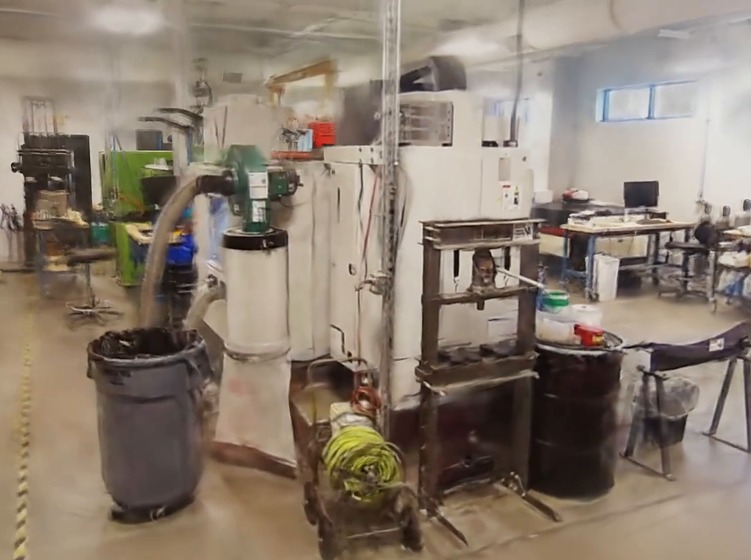
Two ways to get a Gaussian splat into RealityPlatform™, and what happens once it joins the rest of your site.
Gaussian splats now come from a growing range of capture hardware and workflows: LiDAR-and-imagery systems such as XGRIDS and the Emesent GX1, 360 cameras like the Insta360 X-series, and photogrammetry tools. All of them start from imagery.
For facility management teams responsible for an industrial site, that creates a familiar problem. Each splat arrives from its own device and capture session, in its own format and scale, and usually opens in its own viewer. The registered point clouds, meshes and asset data the organization relies on live somewhere else, which is why so many industrial facilities sit on 3D data they cannot use.
One splat of one room is easy to manage. Dozens of captures across buildings, aligned with LiDAR and kept current as the facility changes, are much harder. RealityPlatform™ brings those pieces together: both routes end in one site, alongside the LiDAR, meshes and assets your teams already work with.
In short
- Splats enter two ways: import an existing 3DGS file, or generate one from an Insta360 walkthrough or Emesent GX1 capture.
- Every splat aligns with TLS, SLAM and drone LiDAR in one coordinate system, and streams in a standard browser.
- Each layer has a job: review in the splat, measure in the point cloud, model against the mesh.
- Asset tags, zones and notes stay put as new captures are added to the site.
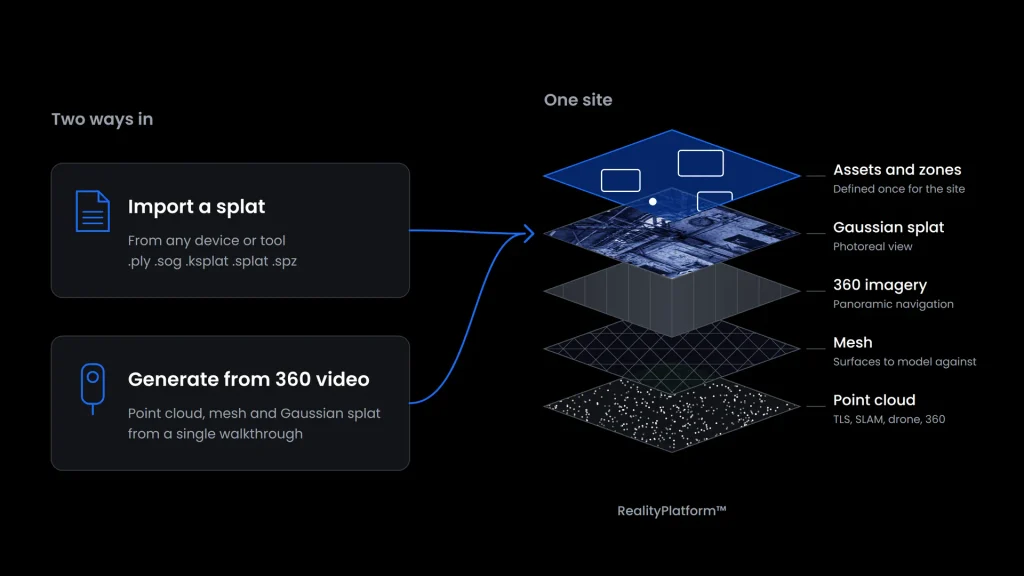
Two ways to get a Gaussian splat into RealityPlatform™
The route depends on what you already have: a finished splat from dedicated hardware, or a supported capture that RealityPlatform turns into one.
1. Import an existing 3DGS file: .ply, .sog, .ksplat, .splat or .spz
Splats produced on dedicated hardware or in your own processing workflow upload directly, whatever the device. RealityPlatform™ accepts standard 3DGS .ply as well as the compressed .sog, .ksplat, .splat and .spz formats. If your device writes a proprietary format, export to one of these first.
The .ply must contain Gaussian data; a generic point cloud or mesh PLY won’t import as a splat. The reason is in the file itself. A splat is not a point cloud with nicer colors: the original 3D Gaussian Splatting method starts from the sparse points produced during camera calibration and optimizes each one into an anisotropic 3D Gaussian, with its own shape, opacity and view-dependent color, rendered in real time at 1080p. A standard PLY holds position and color only, so there is nothing for a splat renderer to draw.
Export the splat at real-world scale from your capture or processing tool. RealityPlatform™ preserves the source scale, so getting it right at export is what lets the splat align cleanly with point clouds, meshes and other layers.
2. Generate a splat from a supported capture
A 360 camera is the lowest-cost route to broad site capture: Insta360’s X6, released in August 2026, starts at US$699.99.
RealityPlatform™ already turns supported Insta360 X-series footage into a point cloud and a mesh, and the same capture now produces a Gaussian splat as well: one more representation from a single walk. Emesent GX1 datasets are supported as well: the GX1 combines LiDAR with four integrated 20 MP cameras, capturing the geometry and imagery a splat needs in one pass.
For 360 video, the reconstruction needs the following from the field:
- Capture settings: Timelapse 360 at 5.7K when available, or 8K on the Insta360 X6; 30 fps playback; 0.5-second capture interval.
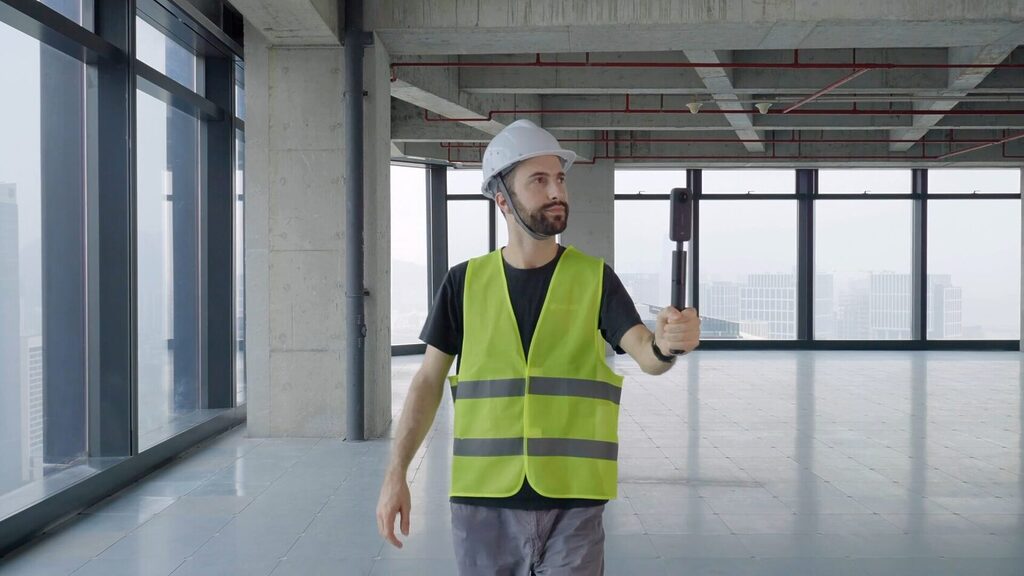
- Camera position: mount the camera on a rigid pole, in front of the operator and slightly above head level.
- Movement: walk steadily at approximately 4 to 6 km/h, with smooth turns, at least 5 m of movement per capture, and an arm’s length from nearby surfaces.
- Environment: use good, consistent lighting and minimize moving people or machinery.
- Files and length: keep each capture between 15 seconds and 30 minutes, and upload the original .insv files directly from the SD card, without exporting, converting or renaming them.
Why LiDAR-imagery devices make strong splat sources
As more hardware providers pair LiDAR with high-frequency imagery, the range of splat sources keeps growing, with more devices to follow as partnerships develop.
The GX1 shows why these devices are natural splat sources. Emesent pairs its SLAM LiDAR with four 20 MP cameras and integrated RTK, so the imagery arrives already posed and georeferenced, which is exactly what splat training needs. XGRIDS takes the same route: its Lixel L3, unveiled in 2026, outputs a point cloud, a mesh and a 3DGS model from one scanning workflow.
Aligning splats with TLS, SLAM and drone LiDAR in one site
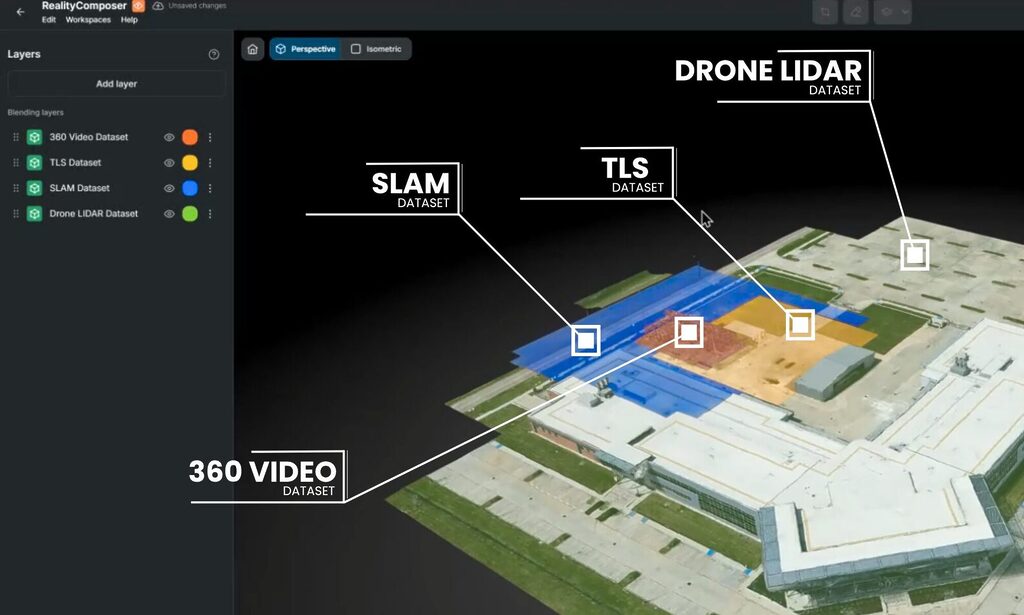
Captures from different devices, sessions and dates come together in one site, whether the source is TLS, SLAM, drone, 360 video or a splat.
Browser streaming for large splat files
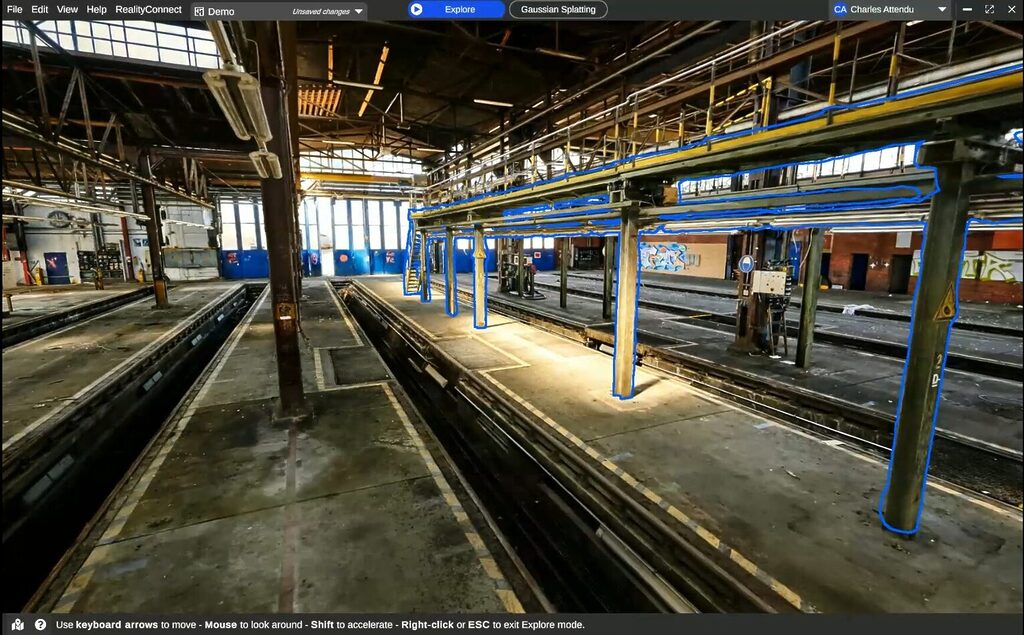
Once uploaded, each capture is processed and optimized for streaming, so even large splats stay responsive in a standard web browser on a laptop or desktop, without a specialist workstation.
Survey control points and manual alignment
Survey control points bring layers into a common frame. Where there is no control, as with 360 video captures, layers can be translated and rotated against each other.
When a 360-derived splat is aligned to a registered LiDAR scan, the scan provides the geometric reference and the splat provides photorealistic context.
Combining multiple splats into one navigable environment
Splats of separate rooms, buildings or capture sessions combine into one navigable environment. Prevu3D assembled its own Montreal office this way from several XGRIDS captures.
Blending, layer order and cleanup boxes
Overlapping splats blend without hard seams, with layer order deciding which capture takes priority. Cleanup then happens in two passes:
- Inclusion and exclusion boxes isolate the area of interest.
- Cleanup tools remove people, vehicles, temporary equipment and capture noise.
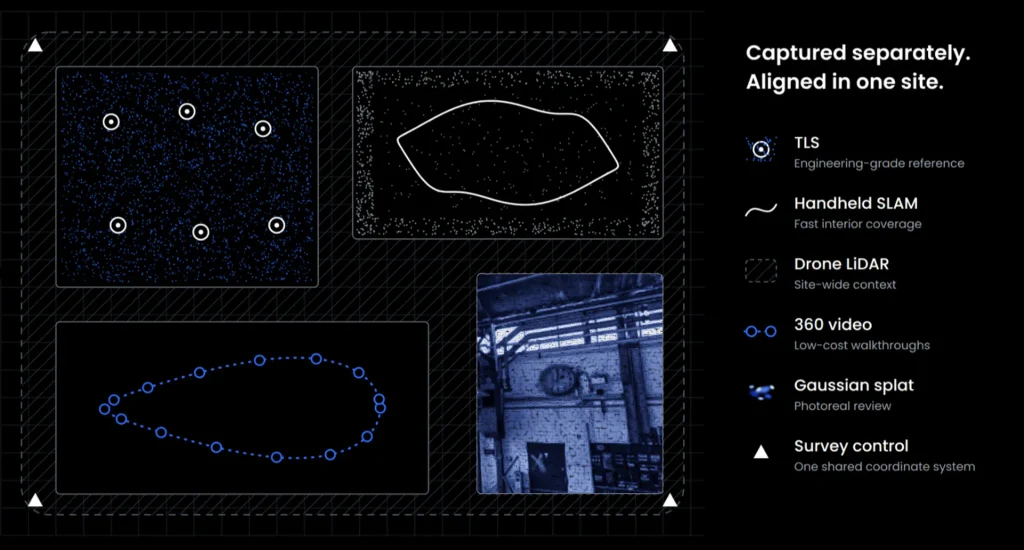
Splat, point cloud or mesh: the right 3D representation for each task
Everyone opens the same site, and the view changes with the job:
- Panoramic imagery for navigation
- Point cloud for spatial reference and measurement
- Mesh for surfaces to model against, generated through 3D mesh processing from the point cloud
- CAD for the engineering model
- Gaussian splat for photoreal review
Who uses which layer: review, clearance checks and modeling
In practice, a program manager reviews a proposed line change for a factory layout in the splat.
A layout engineer checks clearances against the aligned point cloud in the same site.
A designer works against the mesh and uses RealityConnect™ to bring as-built context into engineering tools such as Autodesk Revit and Siemens Process Simulate.
Review in the splat. Measure in the point cloud. Model against the mesh.
Reality capture accuracy by source: TLS, SLAM, 360 and splats
Accuracy, stated plainly: each representation carries the characteristics and limits of its source.
| Source | Accuracy characteristic | Use it for |
|---|---|---|
| TLS | High geometric confidence when properly captured and registered | Survey-grade documentation, engineering measurement, fabrication |
| Handheld SLAM | Device-, environment- and trajectory-dependent | Rapid coverage and as-built documentation |
| 360 video point cloud and mesh | Dependent on image quality, reconstruction, scale and alignment | Scoping, planning, remote review |
| Gaussian splat | Optimized for visual fidelity; accuracy depends on the source workflow | Photoreal review and communication |
Use the representation whose validated accuracy matches the task. Manufacturer figures show how wide the SLAM row is: Emesent states 5 to 10 mm global accuracy for the GX1, and XGRIDS states 5 mm relative and 2.5 cm real-time absolute accuracy for the Lixel L3. Both are vendor-validated numbers for those devices, not properties of SLAM in general.
Where image-based reconstruction stops: low light, reflections and overlap
Gaussian splats are viewable across RealityPlatform™ on the web. Low light, reflective surfaces and insufficient overlap remain challenging conditions for any image-based reconstruction.
360 capture and LiDAR in the field: DB Systel and Topo3D
Two operators show the pattern from opposite ends: one at network scale, one at the quoting stage.
DB Systel: 360 cameras across hundreds of Deutsche Bahn stations
DB Systel, Deutsche Bahn’s digitalization subsidiary, has digitized hundreds of stations using 360 cameras that nontechnical staff can operate, with LiDAR brought in where greater capture fidelity is required.
Topo3D: scoping a laser scanning quote with an Insta360 walkthrough
Topo3D, a Montreal surveying and scanning firm, walks prospective sites with an Insta360 before quoting. The walkthrough answers the questions the quote depends on:
- the number of setups
- access constraints
- which zones need TLS and which can use SLAM
Asset tags that outlast any single capture
The representation is only half the story. The other half is what the site knows.
RealityAssets™: one asset identity across every representation
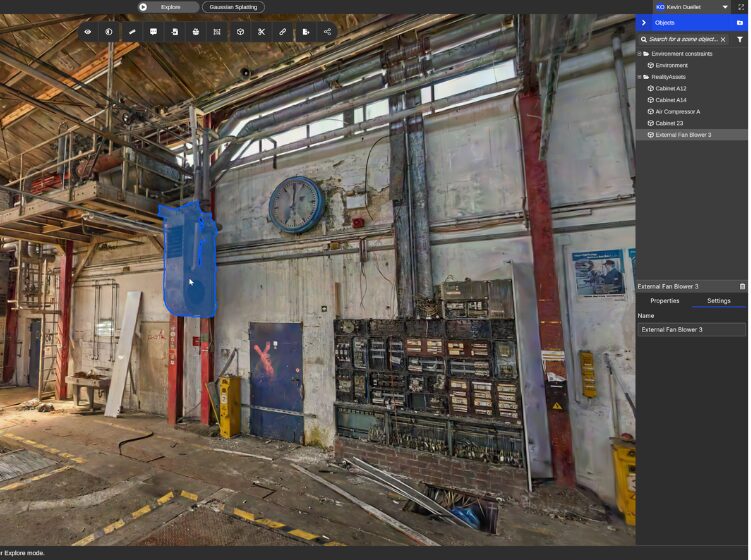
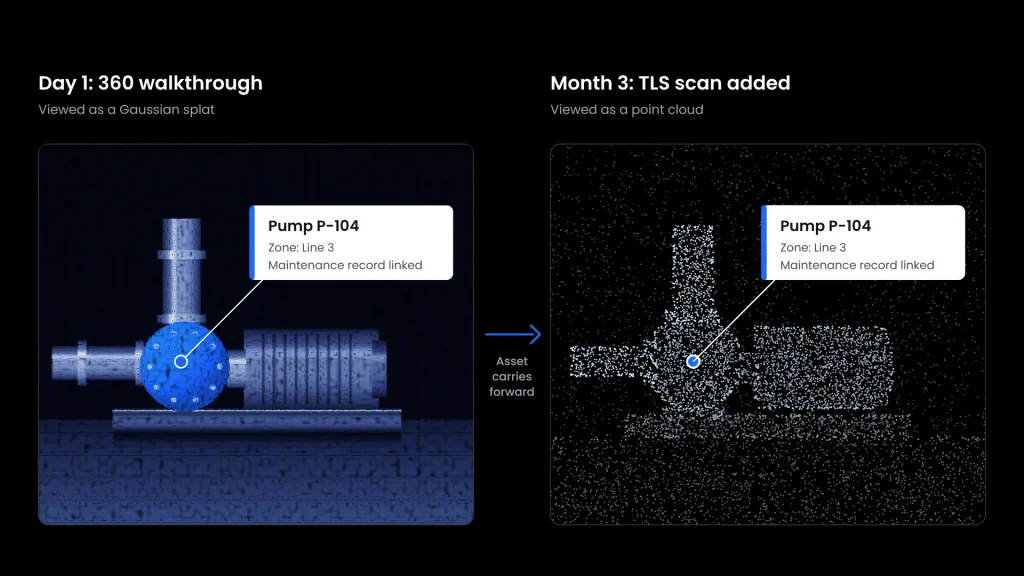
Equipment, zones and points of interest are defined once for the site, as RealityAssets™: tag a pump, outline a restricted area, pin a maintenance note to a valve.
Each asset keeps its identity and metadata whichever representation is on screen, and it can link to a system of record, as DB Systel’s station assets do with SAP PM.
Adding a TLS scan without rebuilding
That changes capture strategy.
A team can start organizing a site on a 360-derived splat, then add a TLS scan when a decision needs more geometric confidence, and the assets, zones and notes stay in place.
As Jay Ure, Director of Enterprise Success & Partnerships at Prevu3D, put it in an Expert XChange session with Insta360 in 2026, the capture can improve without the team rebuilding the knowledge around the site.
What changes for laser scanning service providers
Survey-grade work stays where it is: when validated accuracy matters, the registered scan remains the reference. What grows is how far that data reaches, across operations, engineering and planning, and between formal scanning campaigns.
For service providers delivering into these environments, the role grows too:
- a walkthrough to scope the job
- a photorealistic view clients can use
- a registered scan tied to the assets that matter
Putting splats, 360 video and LiDAR to work in one site
A splat earns its place when it sits next to the scan, not instead of it.
- Check the scale on the splats you already have. Re-export at real-world scale before uploading; a splat exported in arbitrary units will not align cleanly.
- Confirm the .ply carries Gaussian data, not plain position and color.
- Convert proprietary device formats to .ply, .sog, .ksplat, .splat or .spz.
- Pick one area that already has a registered scan. That scan becomes the geometric reference everything else aligns to.
- Walk it once with a 360 camera. Follow the capture settings above and upload the original .insv files untouched.
- Align against control, or against the scan.
- With survey control: tie the layers to the points.
- Without control: translate and rotate the splat onto the registered scan.
- Tag five assets before anyone debates resolution. Link them to your maintenance system so the tags carry value from day one.
- Write down which layer answers which question. Review in the splat, measure in the point cloud, model against the mesh, and say so to every team that opens the site.
See it on your own data: talk to a Prevu3D expert about bringing Gaussian splats, 360 video and LiDAR into one site.
Already on RealityPlatform™? Gaussian splat support is rolling out to customer organizations in fall 2026. Ask your Prevu3D contact to enable it for your organization.