
Visual Asset Management with semantic layer
From a scan full of shapes to a 3D asset library you can query
A scan knows geometry. RealityAssets™ technology knows it’s pump P-1043.
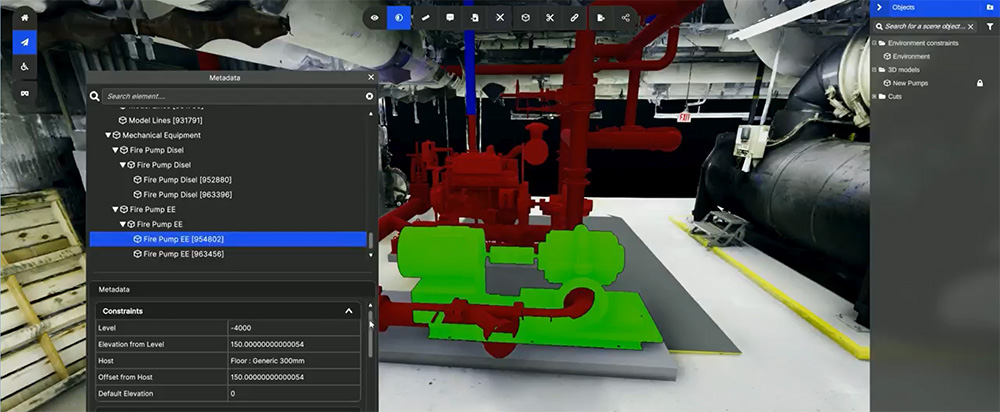
- Tag equipment right inside the scan: draw a box, click with the Magic Wand, or trace a pipe run. A single valve or a whole conveyor takes a few clicks.
- Give every asset its real identity: company asset types bring the same fields to every site, filled by hand or pulled live from SAP, Maximo or AVEVA PI.
- Keep every tag when the site changes: assets sit on top of the scan, not inside it. Rescan the area that moved and your library stays intact.
3 selection tools
Manual or AI-assisted
Your own asset types
Fields defined once, reused everywhere
Rescan-proof tags
Assets persist across updates
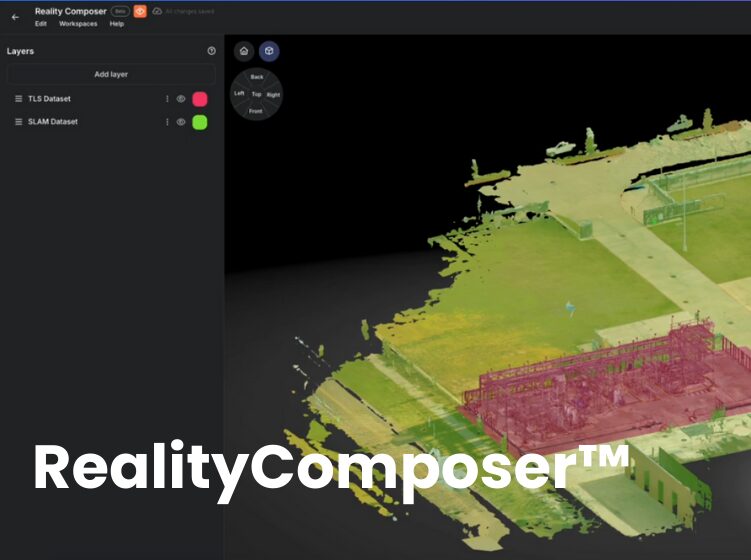
1. Compose the Twin from your reality capture
Upload what you have: point clouds, meshes, 360 video, photogrammetry, CAD or IFC files, Gaussian splats. Each upload is processed into a data bundle, and the Composer stacks bundles as layers.
- Shared registration: scans captured on the same survey targets align themselves when they land in the Composer. Anything else can be aligned by hand.
- Layer order matters: the layer on top wins where two layers overlap, which is how a fresh scan replaces an old one.
- Publish: the composition becomes the Twin, the single environment where assets live.
2. Draw the asset with the tool that fits the shape
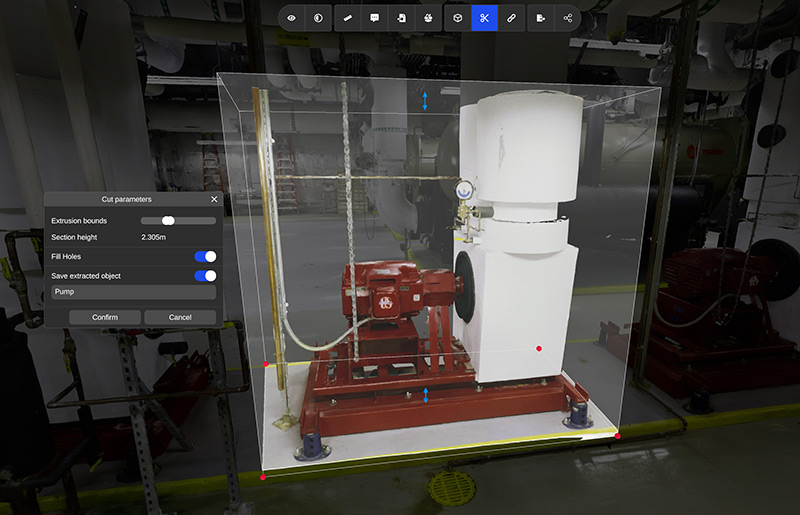
- Bounding box: one box or several boxes per asset. The most predictable option, and the one to teach first.
- Magic Wand: click once and it computes the region it believes belongs together. Refine the box afterwards. It does best on well-separated equipment and is still being improved, so check its edges on tightly packed lines.
- Pipe Selection: click along the run from node to node and corner to corner, set the diameter, confirm. Built for piping, conduit and other linear assets.
3. Give it an asset type and its metadata
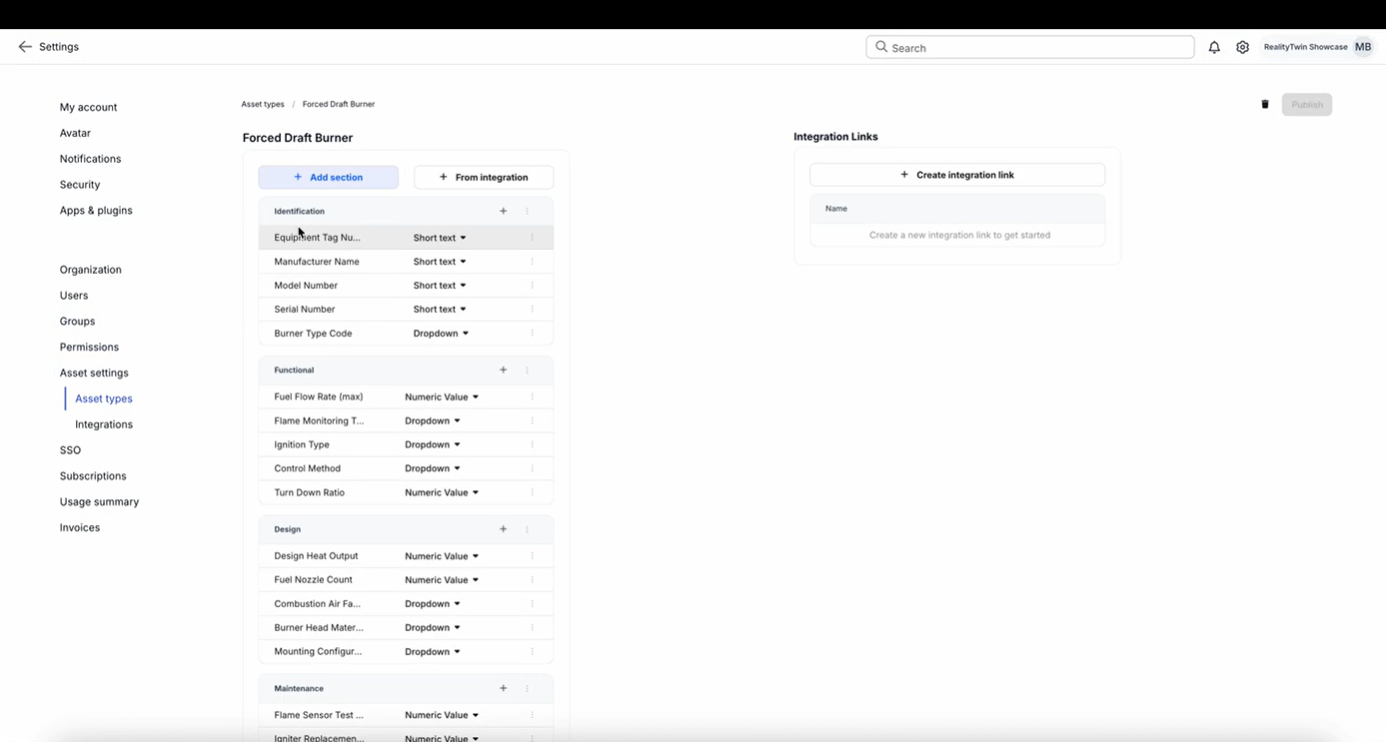
An asset type is a template: preset sections and fields such as ID, specifications, health or usage. Pick the type and the fields appear, ready to fill, identical across every site that uses it.
- Attach what the field team needs: PDFs, images, and link fields that point to records in other systems.
- Talk in context: comments sit on the asset, and @mentions notify colleagues.
- Points of interest versus assets: a point of interest is a pin in space with notes. An asset is equipment with geometry, which you can connect, move and export.
4. Organize assets your way, not ours
RealityPlatform™ does not force an asset hierarchy on you. An asset can be a valve, a conveyor line or an entire terminal.
Folders and spatial zones handle the rest, for example one site per factory and one zone per building, mirroring the structure already in your CMMS or ERP.
Visual Asset Management with Semantic Layer — FAQs
What is visual asset management for industrial facilities?
It means managing equipment records through a 3D view of the real site instead of spreadsheets and floor plans. In RealityPlatform™, each piece of equipment in the scan becomes a tagged asset linked to its data in your CMMS, ERP or historian.
How do I tag equipment in a point cloud or 3D scan?
Draw a bounding box around it, click it with the Magic Wand, or trace it with Pipe Selection, then assign an asset type. The type brings its fields, which you fill by hand or link to a source system.
Can RealityAssets™ connect to Maximo or SAP?
Yes, through custom HTTP integrations configured with the source system’s API. AVEVA PI has a dedicated integration. The asset ID stored in RealityPlatform™ is what links the two.
Do asset tags survive a rescan?
Yes. Assets are a layer above the reality data. Layer the new scan on top in the Composer and the assets, metadata and comments remain.
Can I export tagged assets to Revit as families?
Yes. The RealityConnect™ plugin for Revit streams assets in as native families. Inventor, Siemens NX, Process Simulate, Plant Simulation and NVIDIA Omniverse have plugins too, and OBJ or STEP export covers other tools.
Does the Magic Wand automatically segment a whole site?
No. It accelerates selection one asset at a time. Automated segmentation of whole environments is in development.