

Autodesk Inventor Plugin for Point Cloud & Reality Capture Integration
mechanical design to reality capture
The Inventor Plugin Built for Point Cloud Integration & As-Built Design Validation
Validate Designs against As-built conditions
Import Point Clouds into Autodesk Inventor
Import point clouds and reality capture environments from RealityPlatform™ directly into your Inventor workspace.
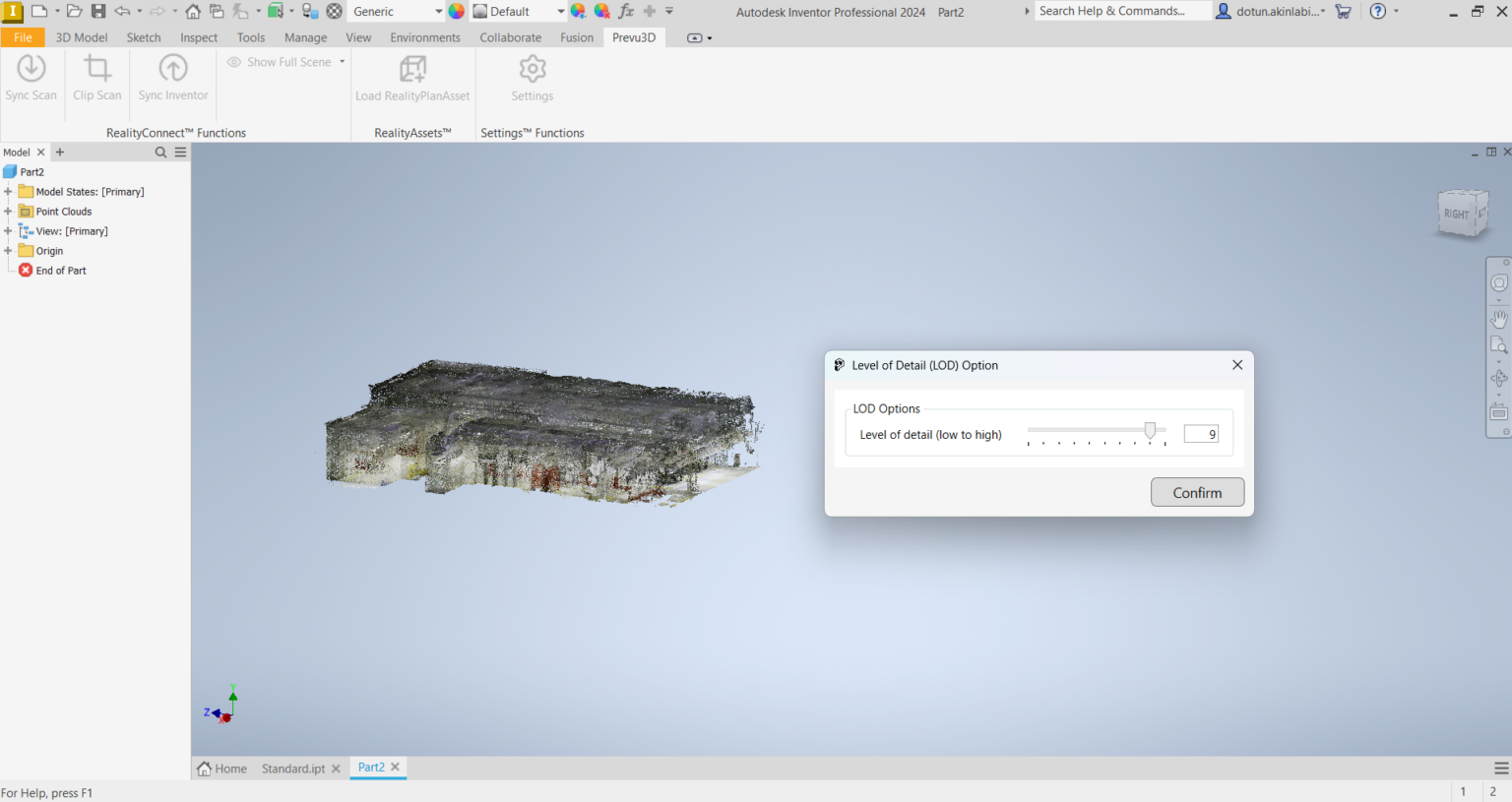
- Overlay Inventor assemblies onto as-built scan data to validate designs against real-world spatial conditions.
- Accelerate design decisions by working within accurate, georeferenced point cloud context — directly inside Inventor.
- Reduce assumptions and RFIs by ensuring mechanical designs reflect actual site conditions from day one.
Optimize Inventor Add-In Performance for Large Assemblies
Adjust level of detail (LOD) settings during point cloud import to keep Inventor performing smoothly across complex mechanical assemblies.
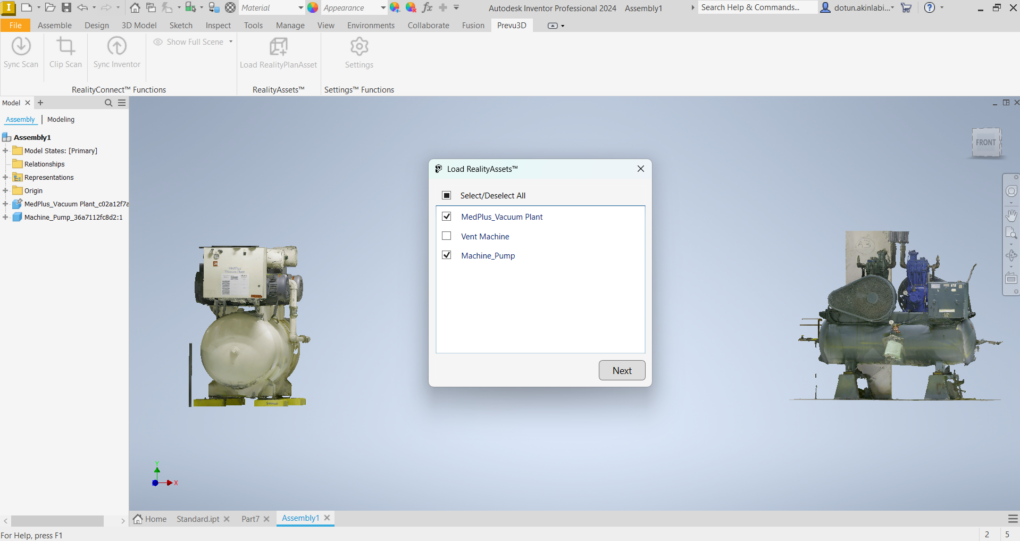
- Streamline large reality capture datasets so your Inventor add-in stays responsive without losing critical spatial detail.
- Balance visual accuracy and system performance — critical for teams working with dense point clouds or large facility scans.
- Lightweight models load faster and share more easily across distributed engineering teams.
Sync Inventor Designs to a Shared Cloud Collaboration Environment
Push updated Inventor designs into a shared cloud environment to compare mechanical models directly against reality capture data.
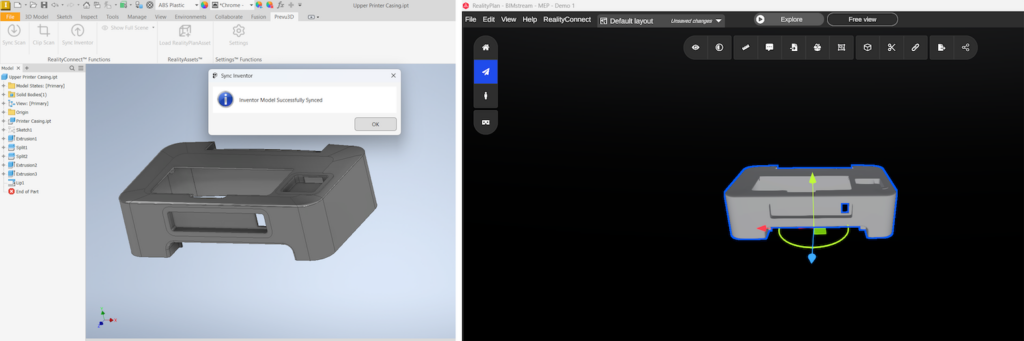
- Validate assemblies against point cloud scans within RealityPlan™ — identify clashes and clearance issues before construction begins.
- Enable remote design reviews through a browser-based 3D workspace — no additional Inventor add-ins or installs required for reviewers.
- Speed up layout iterations by visualizing design changes in context and sharing up-to-date models across mechanical, civil, and operations teams.

Built for your inventor workflow
Inventor Plugins & Add-Ins for Every Engineering Team
From point cloud validation to mechanical assembly reviews — see how design engineers, manufacturing teams, and scanning providers use the native Inventor plugin to work faster from real as-built data.
Mechanical Design & Product Engineers
Import point clouds directly into Autodesk Inventor to validate assemblies against real-world spatial conditions.
Overlay reality capture data onto mechanical designs — fewer assumptions, fewer costly rework cycles.
Manufacturing & Industrial Engineering Teams
Compare Inventor assemblies against as-built facility scans before fabrication or installation.
Detect spatial conflicts and clearance issues at the design stage — not on the shop floor
Reality Capture & 3D Scanning Providers
Deliver point cloud data your clients can load directly into Autodesk Inventor as a native add-in — no file conversion, no middleware, no back-and-forth.
Faster handoff on every project.
Autodesk Inventor Plugin FAQ
What does the PREVU3D Autodesk Inventor plugin do?
The native Inventor plugin imports point clouds and reality capture data directly into your Inventor environment. Overlay as-built scan data onto mechanical assemblies, validate designs against real-world conditions, and sync updated models to a shared cloud workspace — without leaving Inventor.
Can I import point clouds into Autodesk Inventor with this plugin?
Yes. The plugin imports RealityPlatform™ point clouds and reality capture environments directly into Inventor, allowing you to work with as-built spatial data as context for your mechanical assemblies.
Is this a native Inventor add-in or does it require a separate tool?
It’s a native Inventor add-in — it installs directly into Autodesk Inventor and works within your existing design environment. No middleware or separate application required.
How does it handle large assemblies and dense point clouds?
The plugin includes adjustable level of detail (LOD) controls so you can optimize point cloud density during import — keeping Inventor responsive and performant even with complex, large-scale reality capture datasets.
Can it integrate with other Autodesk tools beyond Inventor?
The plugin focuses on Inventor workflows, but the broader platform integrates with Revit, AutoCAD Plant 3D, and other Autodesk tools through separate native plugins — giving your full Autodesk stack access to the same reality capture data.
Does this work for cloud-based Inventor collaboration?
Yes. Designs synced from Inventor can be shared through a browser-based cloud environment — enabling remote teams to review, annotate, and validate mechanical models against point cloud data without additional software installs.


