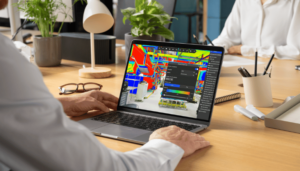






Clash Detection against as-built reality capture
RealityPlan gives you the tools to evaluate any asset against your environment and catch conflicts before they reach the field, including clearance issues a simple overlap check would miss.
ENGINEERING WORKFLOWs, BUILT ON YOUR AS-BUILT
Evaluate and catch conflicts before they reach the field
RealityPlan gives you the tools to evaluate any asset against your environment and catch conflicts before they reach the field, including clearance issues a simple overlap check would miss.
1 click
clash detection
Right-click any asset and evaluate it against your environment.
Exact
clash point
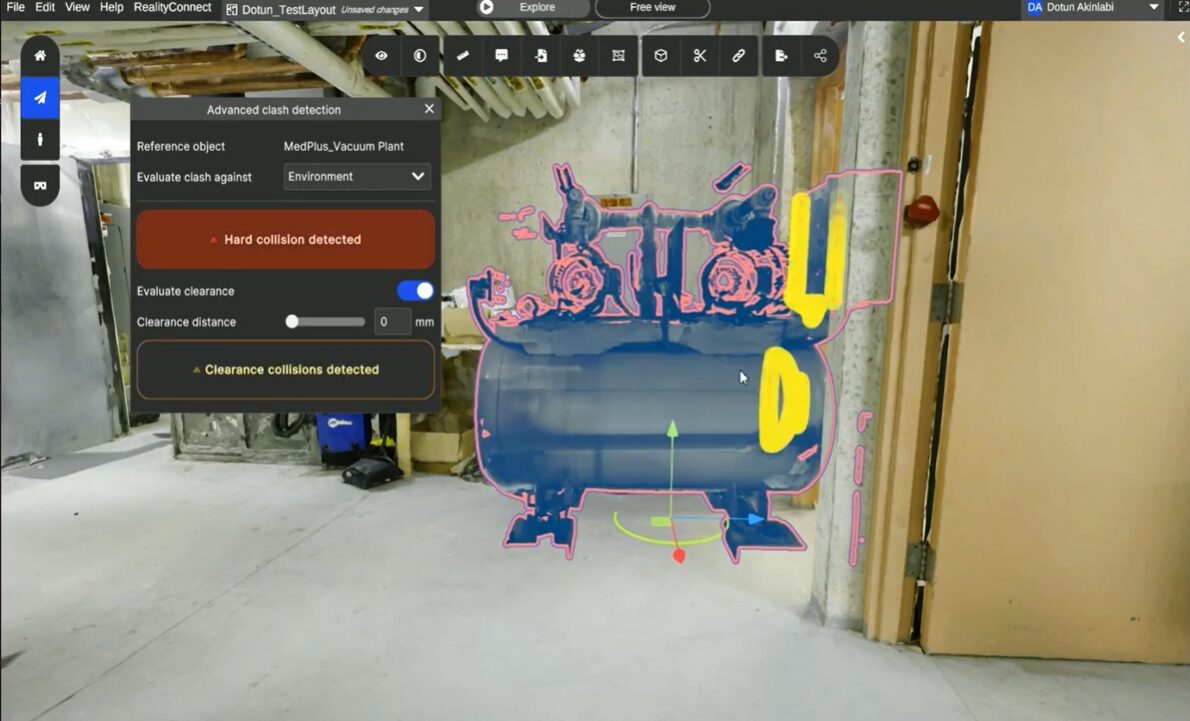
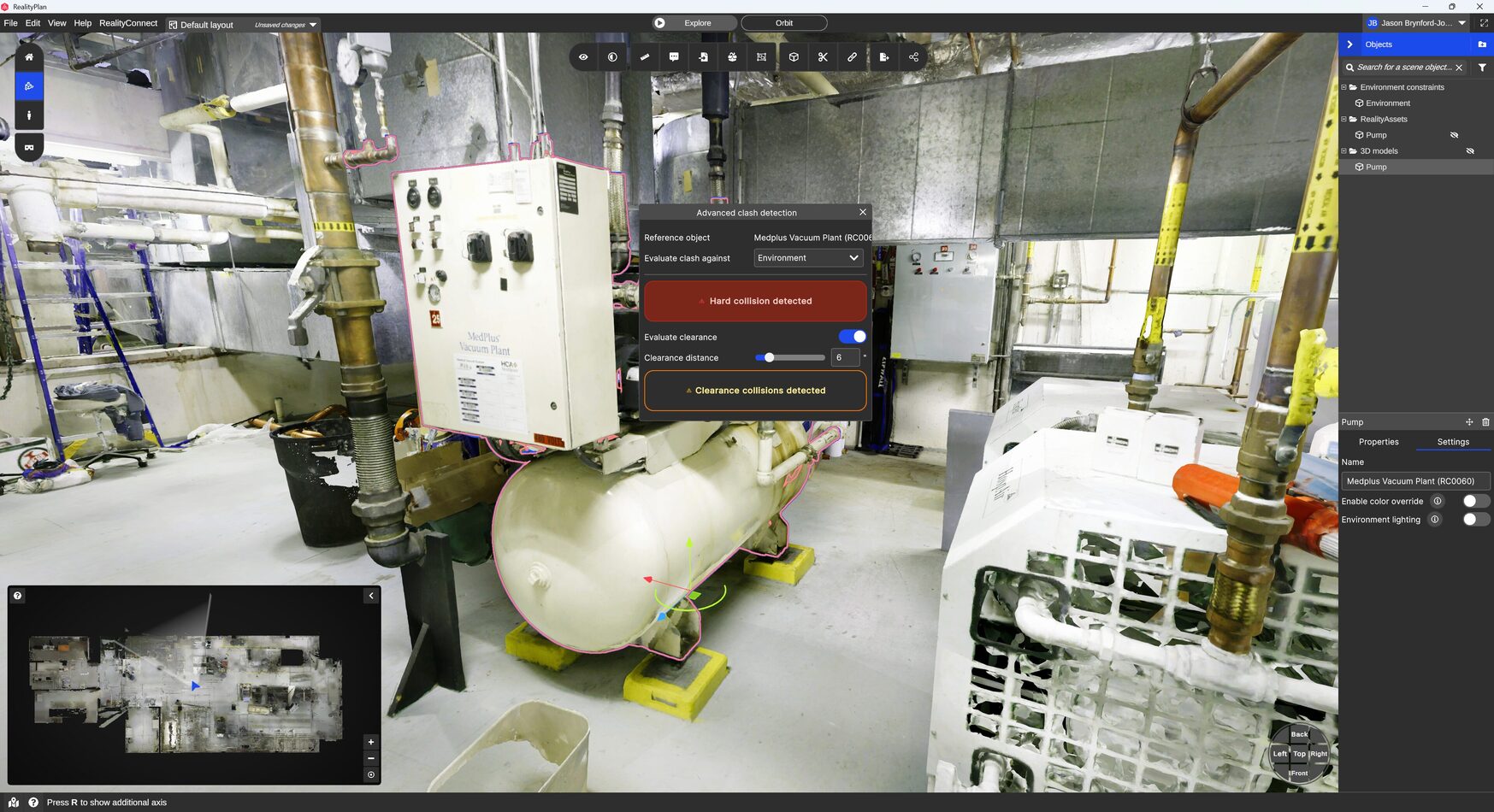
Red marks the clash, yellow flags a clearance violation.
Check fit
not just overlap
Confirm equipment can navigate paths and clear doorways before it ships.
Digital Twin visual clash detection tools
Run clash detection against your as-built environment
RealityPlan's clash detection runs directly against your as-built environment, so every conflict it finds is a real one, not a modelling assumption.
- Right-click any asset to evaluate it.Select an asset in the 3D environment or the panel, then choose the object or environment to check it against. No separate import step or external clash engine required.
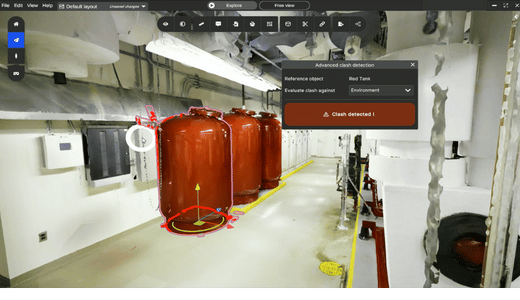
- See exactly where it clashes — or doesn't.A green outline confirms no clash. Red marks show the exact points where two assets collide.
- Check clearance, not just overlap.Enable Clearance Collision Detection to flag where an object violates a defined clearance distance, yellow marks show where it can't navigate a path or fit through an opening, even without touching anything.
Run clash detection against your actual as-built scan
Right-click any asset, evaluate it against another object or the environment, and see exactly where conflicts occur — including clearance issues invisible to a simple overlap check.
Equipment Installation & Retrofits
Confirm new machinery clears existing structure, piping, and equipment before it arrives on site.
- Right-click the new equipment model and evaluate it against the environment
- See red clash points wherever it physically collides with existing assets
- Resolve the conflict in the model before procurement or fabrication
A clash found here costs a model revision. A clash found on site costs a delay.
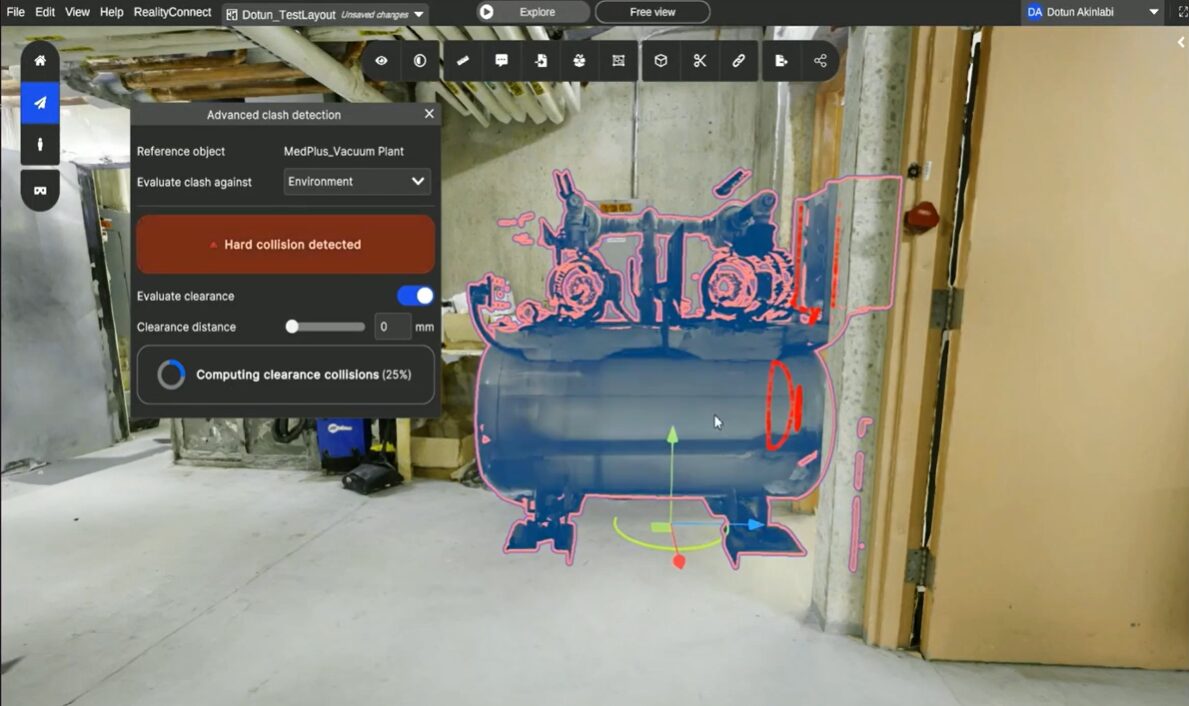
Access Path & Doorway Clearance
Confirm equipment can actually navigate the route it needs to take, not just fit where it lands.
- Enable Clearance Collision Detection on the asset
- Define the clearance distance required for safe passage
- See yellow markers wherever the path is too tight, even without contact
Fitting through the doorway and clearing it safely are two different questions. This answers both.
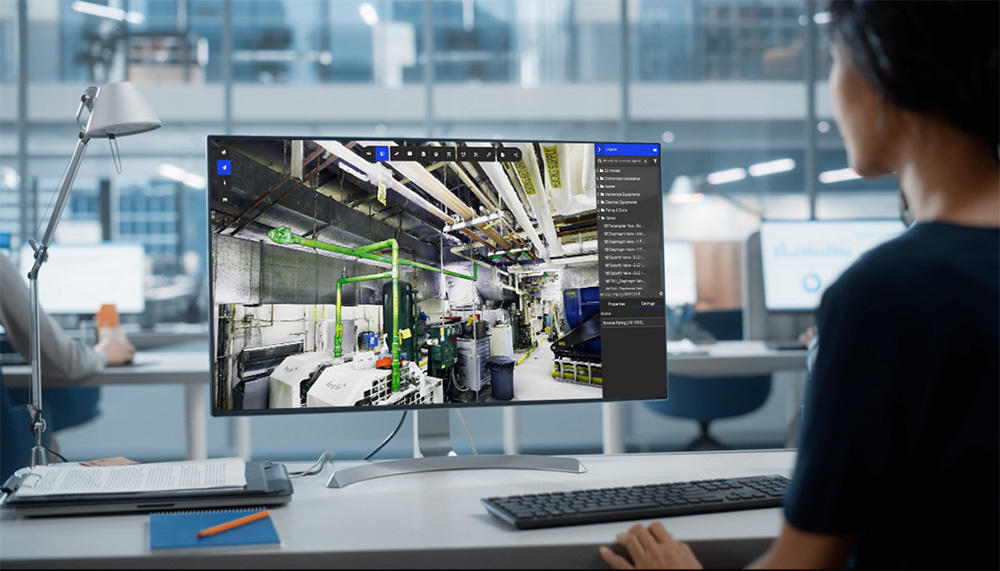
Piping & Mechanical Retrofit Checks
Confirm new pipe runs, ductwork, or cable trays can be routed through existing structure without interference.
- Evaluate proposed runs against the scanned environment
- Identify every clash point before fabrication drawings are issued
- Re-run the check as the routing design evolves
Catch the conflict before the fabrication order, not after the parts arrive.
Production Line & Layout Validation
Confirm a planned equipment layout doesn’t introduce conflicts once every asset is in its final position.
- Evaluate each repositioned asset against its new surroundings
- Catch interference between newly placed equipment and existing structure
- Validate the full layout before a single piece moves on site
Every layout decision checked for fit, not just for space.
Space-Constrained Facility Planning
Validate proposed modifications in facilities where ceiling height, column spacing, or aisle width leaves no margin for error.
- Evaluate proposed changes against actual measured geometry
- Confirm clearance against structural constraints that drawings often miss
- Move forward only once the fit is confirmed, not assumed
In a constrained facility, there’s no room for a clash you didn’t see coming.
Clash Detection Tool — FAQ
What's the difference between clash detection and RealityPlan's Visual Compare?
Traditional clash detection checks for conflicts between different design models (e.g., structural vs. MEP) before construction. Visual Compare checks your CAD or BIM model against the actual as-built scan — so it catches not just model-to-model clashes, but places where the real facility has already diverged from any design model, including changes that happened after construction.
Can I run clash detection between my CAD model and the physical facility, not just other models?
Yes — that’s the core use case. Overlay your CAD or BIM model directly against the scanned mesh, set your tolerance, and see exactly where the design and the physical facility diverge, whether that’s a missing component, a shifted piece of equipment, or a change made on-site that was never modeled.
How does RealityPlan visualize clashes or deviations?
Deviations show up as a colour-coded heatmap directly in the 3D environment — warm colours flag areas outside your set tolerance, so you can see severity at a glance rather than reading a list of coordinates or a written report.
Can I set my own tolerance for what counts as a clash or deviation?
Yes. You define the acceptable range yourself, so “deviation” means exactly what your project requires — a tight tolerance for a fabrication fit check, or a looser one for general as-built verification.
Do I need special software to review flagged clashes with my team?
No. Once deviations are annotated, you can share a link — reviewers open it in any browser, see the same spatial context and comments, and no software install is required on their end.
— prevu3d partners said

They couldn't figure out whether this equipment would pass through the tunnel. We were able to move the whole thing through that digitally and show them how we could do it instead. They were planning a shutdown—they cancelled it.

Sébastien Cliche
Innovation & Technology, Tetra Tech