

featured in
Visual Asset Management Tool
Transform engineering, operations, and maintenance workflows with actionable data in RealityPlan™
Document sites and assets on RealityPlan™
Turn phisical sites into a smart, spatially connected digital environment
With RealityAssets™, transform your site into a structured digital environment that connects every detail to its spatial location for smarter workflows and enhanced decision-making.
Define
Customize RealityAsset
Utilize advanced tools to create complex RealityAssets within 3D mesh scans.
Enrich
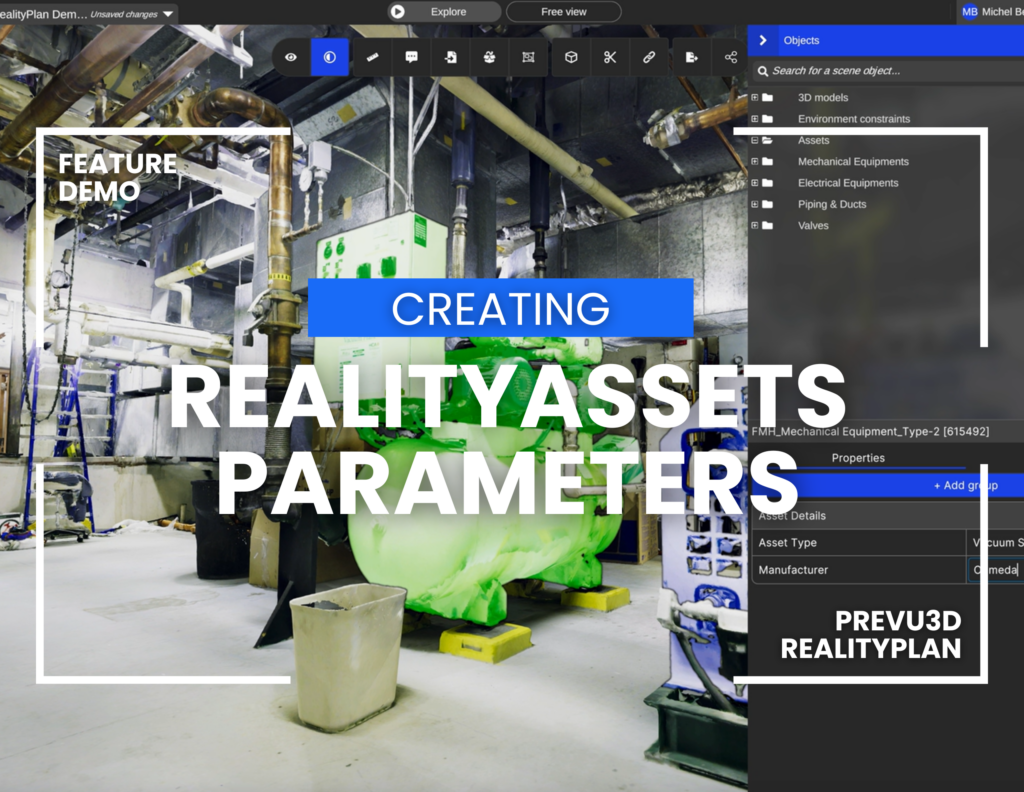
Add detailed parameters
Ensure comprehensive documentation for operational and engineering needs.
Search
Filter across systems
Leverage advanced search and filtering capabilities to find specific RealityAssets.
Key features of RealityAssets™ across workflows
RealityAssets™ creation
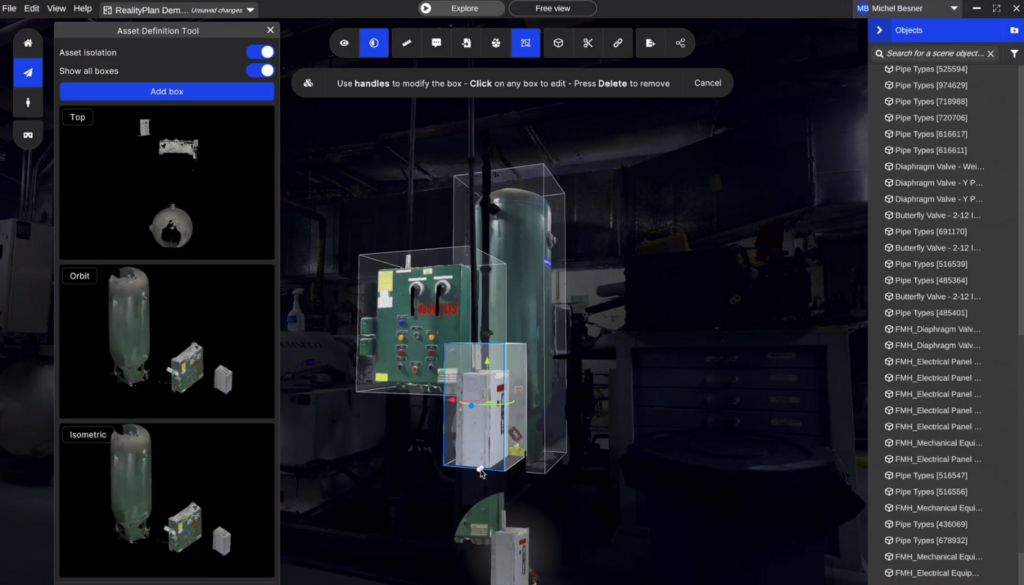
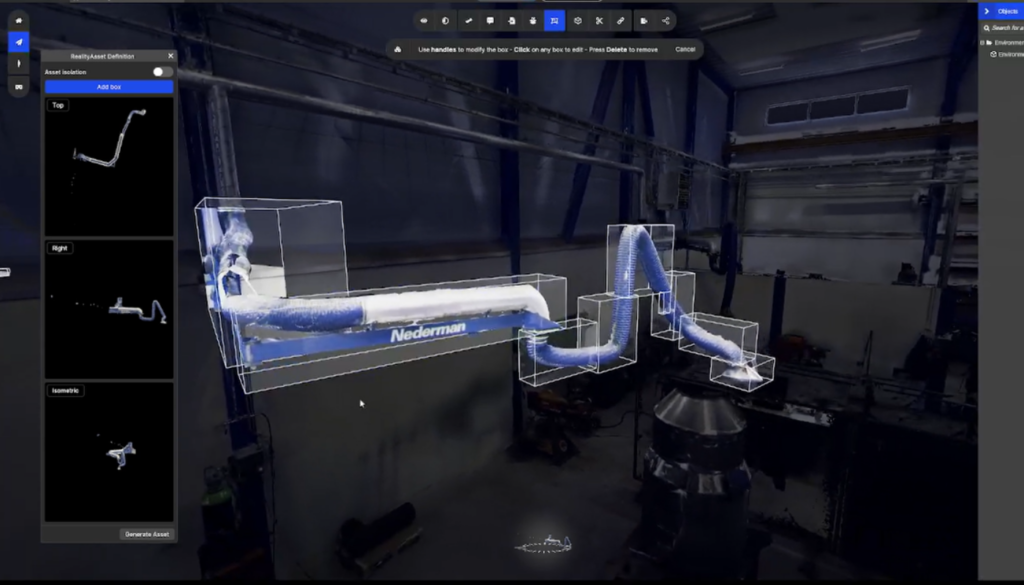
- Define complex assets of any shape in 3D mesh scans using adjustable multi-boxes and rotate with the turntable for multiple perspectives.
- Use the turntable widget to navigate 360 degrees around the assets to facilitate different views and quickly make edits.
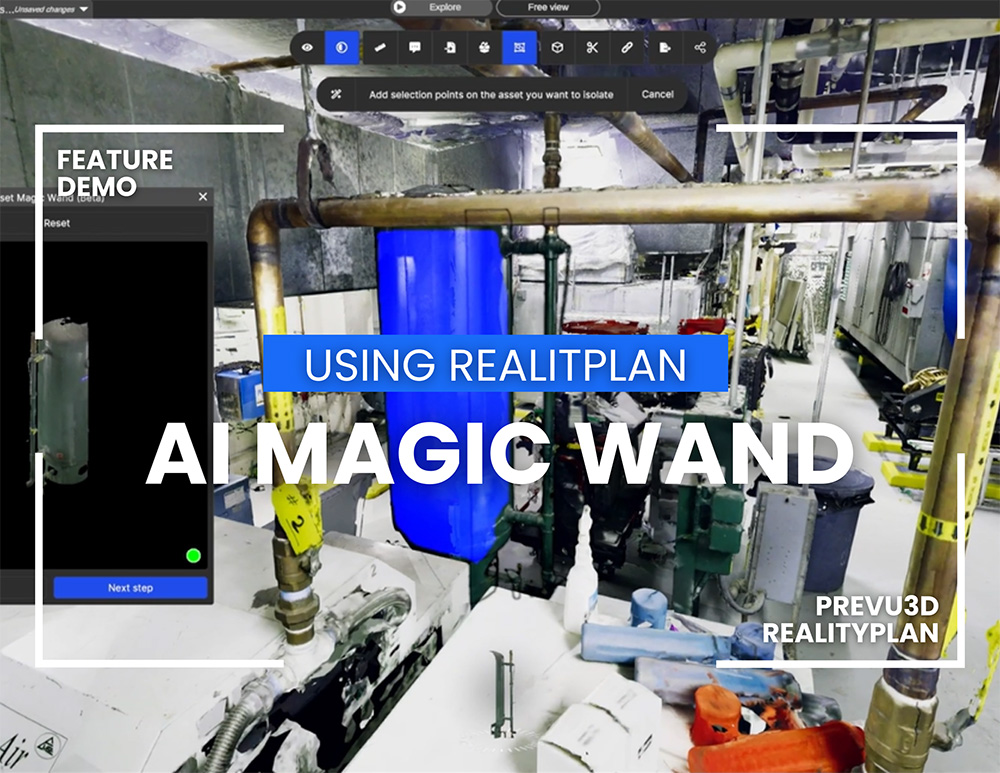
- Quickly select objects with the AI Magic Wand tool and auto-generate boxes, manually refining for precise definition in the multi-box workflow
Parameters and metadata
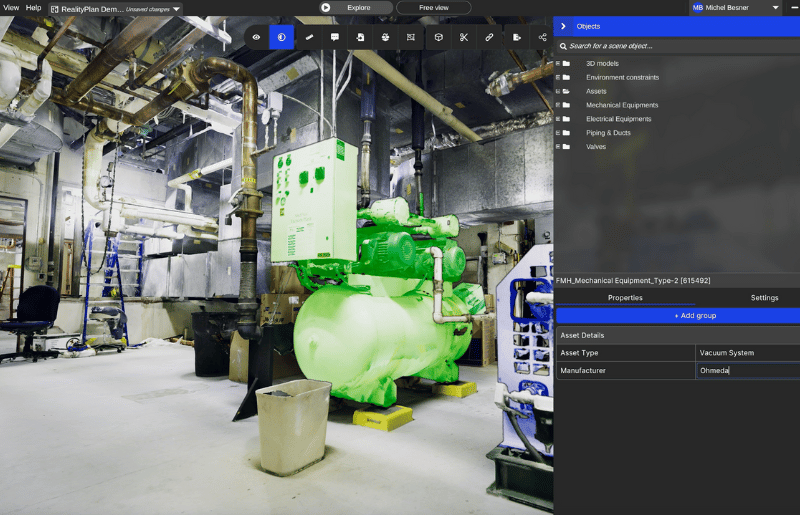
- Add customizable parameters such as numeric values, external links, files, and CAD metadata to enrich RealityAssets™ for comprehensive operational and engineering documentation.
- Connect detailed asset information across systems to ensure all stakeholders work with accurate and actionable data.
- Quickly locate specific RealityAssets™ with robust search and filtering tools, enabling seamless cross-system workflows.
- Select and search for RealityAssets™ to define points inside the scene, such as valves and pipes.
Manual pipe creation
- Outline pipe paths by placing points, adjust diameters, and modify segments for accurate asset definition.
- Add branches to pipe networks by extending segments from existing handles and define new segments for complex networks with multiple offshoots.
- Click on a pipe to highlight the entire system and displays attached metadata in the right-hand panel.
- Users can also define sub-assets and attach specific information for items such as valves or piping elbows.
DESKTOP APPLICATION

Discover more features with RealityPlan™, enabling rapid design iterations, detailed asset documentation, and seamless export of 3D models to CAD software for integration into existing engineering workflows.
Explore our RealityPlan™ Resources

Prevu3D allows us to make quicker and better decisions. When multiple engineers collaborate, we give them access to the platform to get their measurements and projects in one place. It's been an extremely useful tool for that purpose.
Read the Case StudyJean-François Legault
Chief Environment, Health, and Safety Officer at Seneca