Autodesk Forma Assets Plugin
AUTODESK FORMA ASSET PLUGIN
Connect Site Planning and Design to The As-Built World
RealityConnect for Autodesk Forma extends lifecycle and data integration from conceptual design through to the as-built environment on RealityPlatform.
Faster Site planning
Sync assets in real time
Validate instantly
From manual file handoffs to synchronized RealityAssets
One spatially aligned scene for every capture and every model
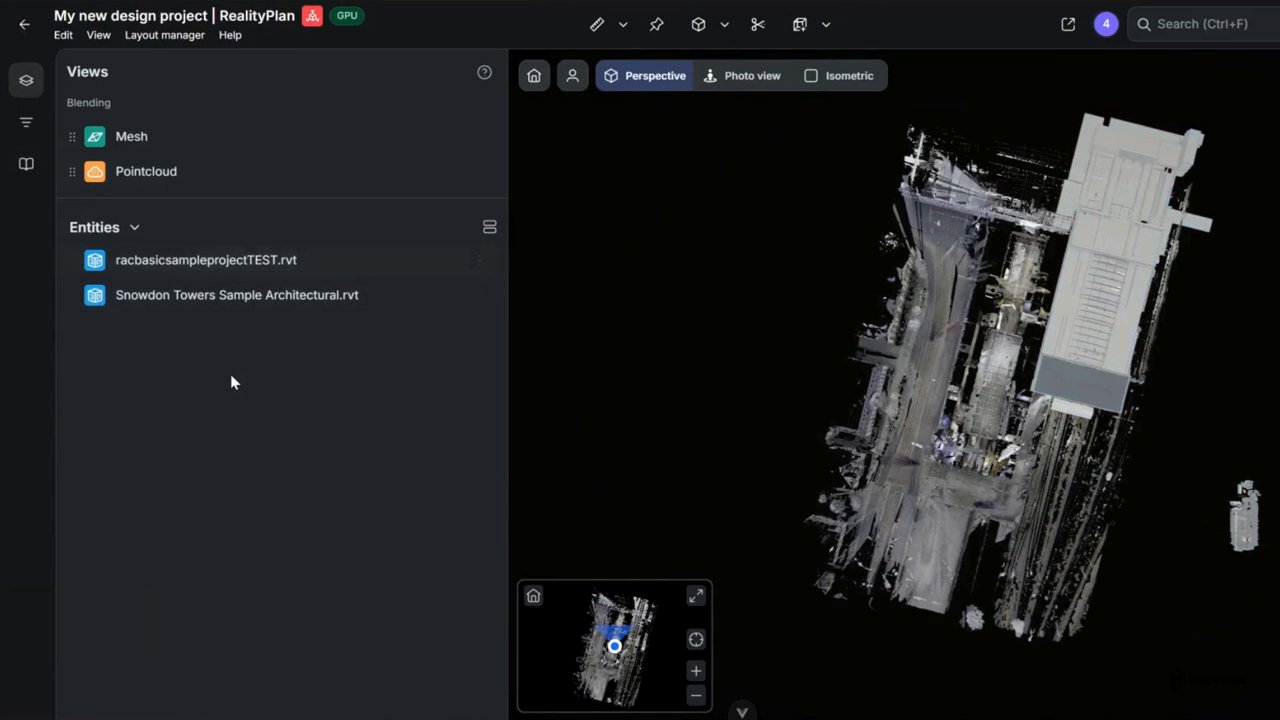
- All types of reality capture and CAD models in one spatially aligned environment.
- The as-built foundation on RealityPlatform where Autodesk Forma design assets land and stay linked to your site.
- Point clouds, photogrammetry meshes, 360 imagery, Revit and IFC all resolve into a single coordinate system, aligned to the real site.
- When you pull an Autodesk Forma design asset into it, the asset lands in real-world position, in real-world context, and stays linked to the site and to its source in Forma.
- No re-alignment, no exports lost in a shared drive.
Forma design assets become governed operational objects
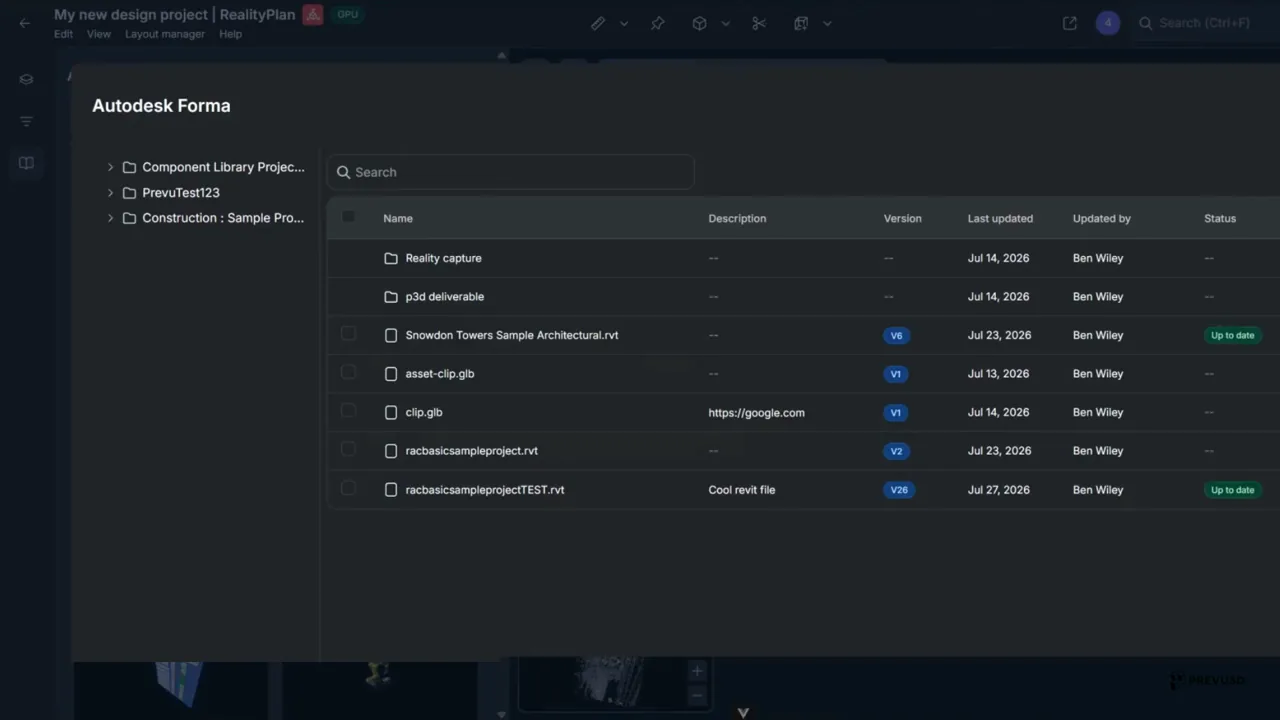
- Browse your Forma project files from inside RealityPlatform, select what matters, and import it. Revit files auto-place on the as-built.
- Each asset arrives whole. Geometry, metadata, exact position on site, and a live link back to where it came from in Forma.
- Version, owner, last update and sync status sit on the face of every object, so nobody has to ask which copy is current.
- Design, construction and operations work from the same governed asset instead of three versions of the same file.
One connection keeps design and as-built aligned as your site grows
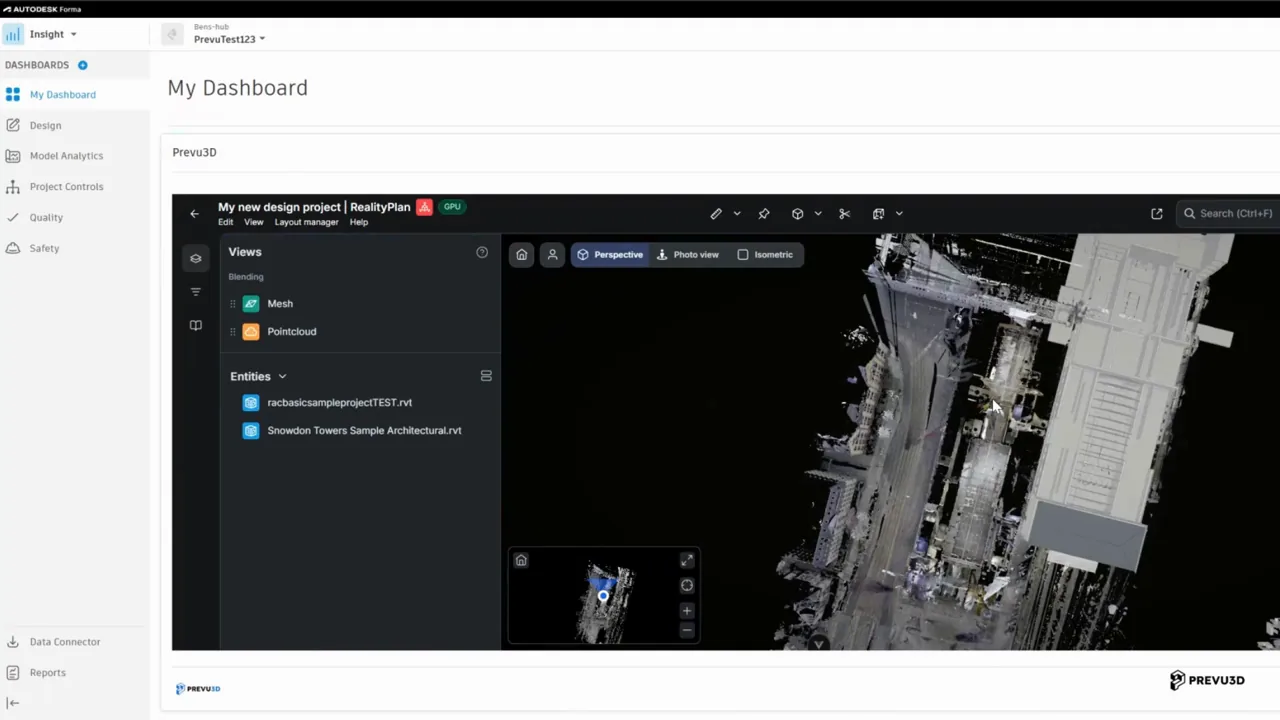
- Instantiate and sync Autodesk Forma assets in RealityPlatform, one connection that keeps your design world and as-built world aligned as your site grows.
- Publish a new version in Forma and the linked object updates in Prevu3D, embedded right inside your Forma dashboard.
- Design intent and captured reality stop drifting apart: as new scans come in and new designs land, both worlds stay aligned, versioned and traceable.
Built for your workflow
Site planning, sync, and validation with Autodesk Forma
See how design teams, operations leads, and integration owners manage site planning in Autodesk Forma and keep the as-built world in sync on RealityPlatform.
AEC & Design Teams
Run site planning and design in Autodesk Forma. Validate where design intent meets as-built conditions and trust what you see when design meets reality.
Operations & Facility Teams
When you publish an update in Autodesk Forma, linked RealityAssets reflect that change, so your site always stays in sync. Compare design intent to current conditions on the floor.
IT & Integration Leads
Connect Autodesk Forma to RealityPlatform with one integration. Governed RealityAssets with live source links as your site grows.
Keep your design world and as-built world in sync with Autodesk Forma.
Prevu3D is not affiliated with Autodesk.