

featured in
Create asset-based semantic layer
Use RealityAssets™ to tag equipment, apply company asset metadata templates, and preserve asset context across scans and updates.
Define, Classify, and Organize Your Assets
Build a reliable library of asset visuals
See how teams isolate equipment using manual tools or AI-assisted segmentation, then tag them with company-specific metadata templates. RealityAssets™ makes it easy to classify, enrich, and preserve asset context over time.
Rapid Segmentation
Manual or AI-assisted
Isolate and tag assets in just a few clicks.
Customizable Templates
Flexible metadata structures
Connect to ERP, MES, CMMS, IIoT, and more.
No Asset Rework
Retain asset tagging across scans
Skip manual reclassification when updating your site data.
RealityAsset Key Differentiators
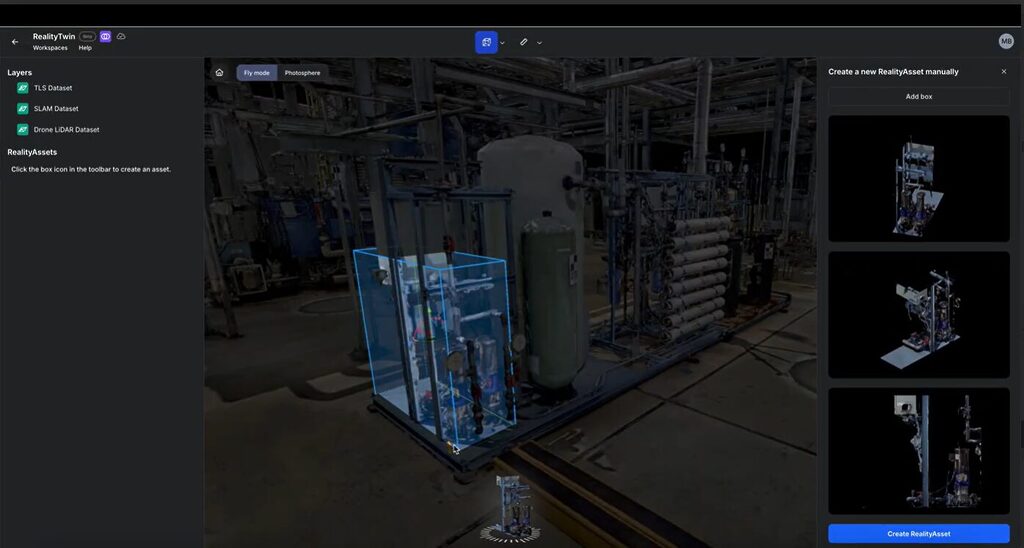
Intuitive Segmentation Tools
Visually isolate assets using simple, flexible tools.
- Manual selection with bounding boxes
- AI-assisted Magic Wand for faster segmentation
- Supports nested or grouped assets
- Build and refine your asset model over time
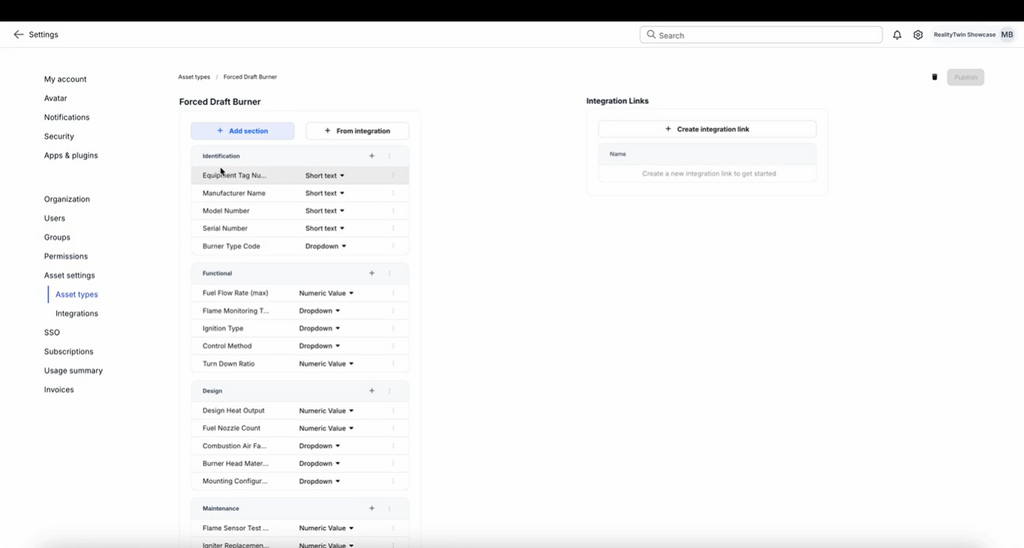
Asset Templating & Metadata
Capture the right data for each asset—your way.
- Define fields like IDs, specs, health, or usage
- User-customizable templates by role or discipline
- Input data manually or import from other sources
- Built to adapt across industries and workflows
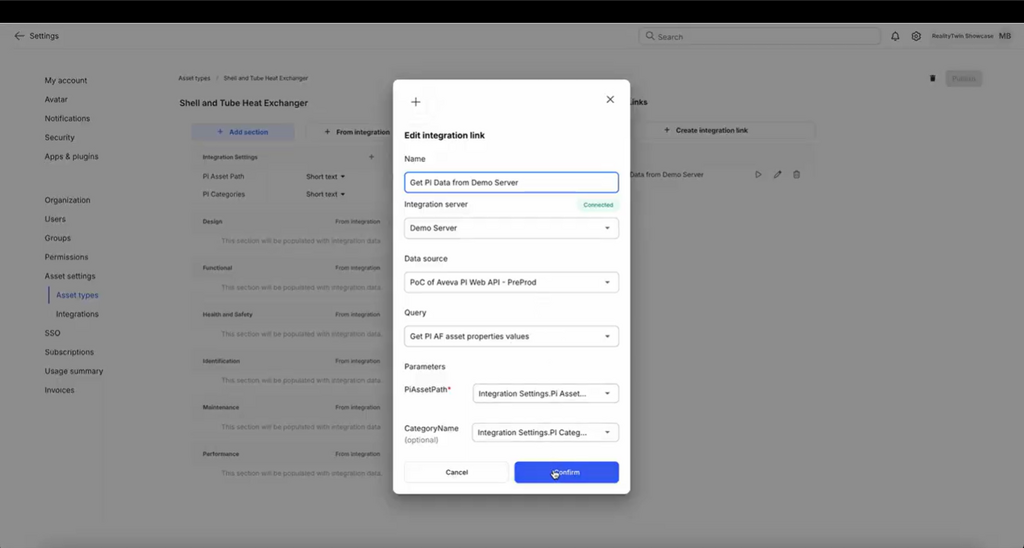
System Integrations
Consolidate your systems of record into a unified visual platform.
- Connect to ERP, MES, CMMS, IIoT, and other enterprise systems
- Control access with user-based permissions for secure data visibility
- Use advanced search to surface information across connected systems
- Display visual cues to highlight key operational data in context
Explore our cloud-based software

Visually unify reality capture scans, enterprise systems of record, and teams in one persistent, operationally rich model with RealityTwin.
Explore our RealityTwin™ Resources
Prevu3D is the connector that enables us to make reality capture data viable for integration into Omniverse. It's the starting point for segmenting and porting assets into simulation environments.
Alexander Doukas
Group Manager, Kinetic Vision