Search Icon
LOGIN

RealityConnect™ for PlantStream

Optimize PlantStream 3D Piping Design with Prevu3D’s Accurate As-Built Context

Accelerate your brownfield design process

Go from scan to smart piping model in hours—not days.

See how RealityConnect bridges real-world plant conditions with fast, intelligent 3D modeling—from scan to mesh, design, auto-routing, and validation in Prevu3D and PlantStream.

See the step-by-step Workflow between Prevu3D and PlantStream

Discover a Faster Way to Design for Brownfield Projects

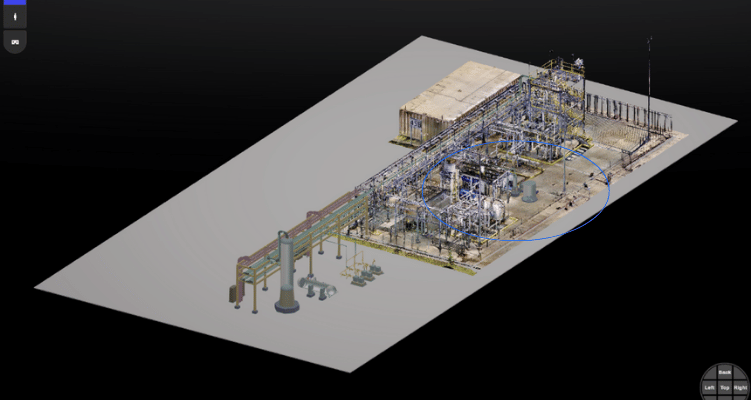
Reality-captured 3D model of an industrial mechanical room with pumps and insulated piping.

Step 1

Measure Point Cloud Data in Prevu3D

Use laser scanning or LiDAR to capture accurate, high-resolution as-built data of the facility.

Step 2

Generate Mesh Model in Prevu3D

Transform point cloud data into a detailed mesh model, preserving real-world spatial context.
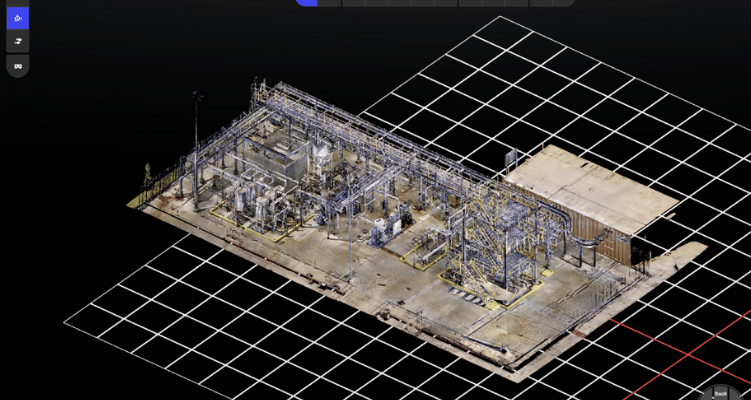
Reality-captured 3D model of an industrial facility with grid overlay, visualized in Prevu3D
Full-scale 3D model of an industrial facility created with Prevu3D’s RealityConnect platform.

Step 3

Import FBX File Into PlantStream

Export the mesh as an FBX file and bring it into PlantStream to begin piping layout and equipment design.

Step 4

Design Inside PlantStream with As-Built Context

Use the imported mesh to route piping and place equipment efficiently with PlantStream’s intelligent auto-routing tools.
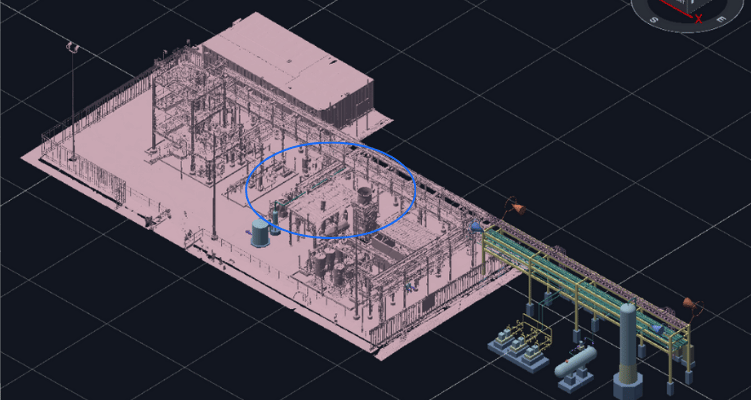
CAD-based 3D model of an industrial plant with highlighted components and grid background.
Full-scale 3D model of an industrial facility created with Prevu3D’s RealityConnect platform.

Step 5

Export RVM and Validate in Prevu3D

Bring the PlantStream model back into Prevu3D (RVM format) for contextual visualization, stakeholder review, and field team validation.

Platform
RealityPlatform™ logo with a blue hexagon showing connected node icons and bold black text
Discover Prevu3D’s all-in-one solution for hosting, managing, and processing reality capture data. Easily view and share point clouds, convert them to 3D meshes, and manage your RealityPlan™ design projects online.
Desktop application
RealityPlan™ logo with a red hexagon featuring a 3D axis cube icon and bold black text
Go beyond viewing and sharing 3D environments to accelerate your engineering design and project collaboration. Discover the toolbox.
NVIDIA Omniverse logo with a green circular loop icon and bold black text.
Prevu3D simplifies the process of incorporating reality capture into digital twin workflows, making it easier for companies to leverage tools like Omniverse to visualize, iterate, and innovate efficiently.
Don Johnson
Developer Relations Manager at NVIDIA
Watch the Simulation and Design Panel

Get in touch with our Digital Twin Experts

Let's talk about RealityConnect™ for PlantStream

Fill in the form to get the plugin

Discover how to:

  • Go from point cloud to PlantStream-ready mesh in a single day
  • Visualize and validate new designs in context with the existing facility
  • Automate pipe routing with high accuracy and engineering intelligence
  • Minimize rework and accelerate design iterations
  • Simplify collaboration between design and field teams