Search Icon
LOGIN

Blog - November 17, 2025

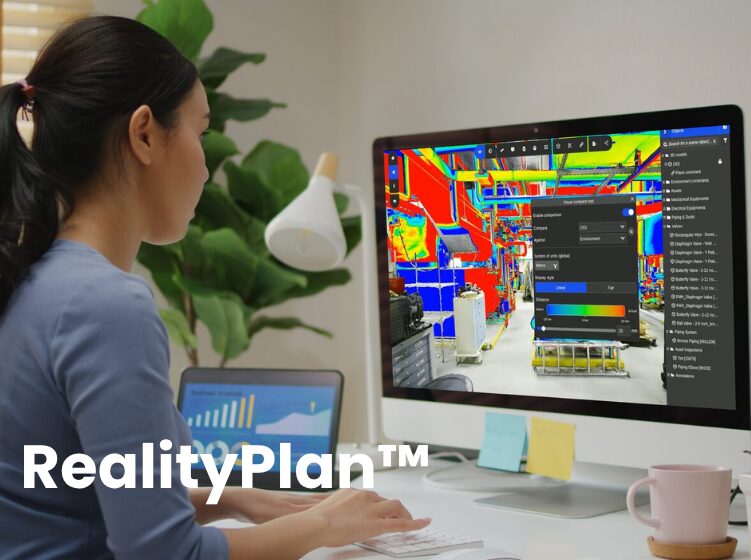
RealityPlan™ Demo: Layout Design Workflows

TURN YOUR SCAN INTO A PLANNING WORKSPACE—SEE HOW TEAMS DESIGN WITH REAL CONTEXT

Watch the Full Demo: RealityPlan™ Layout Design Workflows

Missed it live? Watch how RealityPlan™ transforms a raw facility scan into a fully validated layout—removing clutter, moving equipment, inserting CAD models, and sharing updates instantly.

Inside the RealityPlan™ Layout Design Workflow

Facility layout planning can be slow, fragmented, and difficult to visualize—especially when teams rely on old drawings or disconnected CAD files. During the live session, our Customer Success team walked through how RealityPlan™ replaces that friction with a single, visual, reality-based workspace.

As Jay Ure, Director of Customer Success, summarized during the demo,

RealityPlan™ gives teams a single, intuitive space to plan and communicate facility layouts—turning real-world scans into the actual design environment.

What follows is a breakdown of the workflow demonstrated during the session—and how each step helps teams move from a raw scan to a validated layout ready for review and collaboration.

Preparing the Scan: Creating a Clean Planning Environment

The walkthrough begins with scan cleanup—a common first step in any layout planning process. Temporary objects, fabrication remnants, and mobile equipment can complicate spatial decisions. Using RealityPlan’s Cut Tool and plane primitives, David quickly isolates and removes these elements, replacing floor voids with clean surfaces.

This helps teams start with a workspace that reflects the true facility conditions while eliminating clutter that could distort measurements, clearances, or equipment placement.

As David St-Laurent, Senior Customer Success Manager, noted during the demo:

RealityPlan lets you get something realistic going very quickly—something you can use immediately for presentations or to bring non-technical stakeholders into the layout discussion.

Reorganizing or Duplicating Existing Equipment

With the environment prepared, the next step focuses on equipment. Using RealityAssets™, machines can be defined, isolated, moved, or duplicated without re-modeling any geometry. This is especially useful for exploring new line configurations or evaluating expansion scenarios.

Teams can rapidly test alternatives such as:

  • Repositioning a hydraulic shear

  • Duplicating machines to simulate added capacity

  • Evaluating traffic flow or equipment spacing

This level of spatial flexibility—grounded in a real scan—helps teams make decisions far earlier in the planning process.

Integrating New Equipment Models with Real-World Conditions

The demo then shifts into CAD integration. New equipment can be imported directly into RealityPlan™, placed in context, and validated against the scanned environment.

In the example, David inserts a new punch press and applies a 1.5 m maintenance clearance using constraints. These built-in rules ensure positioning remains compliant—even as the layout is iterated or equipment is moved.

By bringing CAD and scan data together in the same environment, teams eliminate guesswork and reduce the back-and-forth typically required to verify fit, spacing, and safety criteria.

Simulating Movement Paths for Operations & Safety

One of the most impactful moments in the demo is the movement simulation. Using a lift truck model, David creates a full animated path through the facility—instantly revealing bottlenecks, blind spots, and cross-traffic risks that are difficult to catch in static drawings.

For operations teams, these simulations quickly answer questions like:

  • Can vehicles safely navigate this aisle?

  • How does traffic flow change when equipment is moved?

  • Are there points of conflict that require redesign or additional signage?

To support reviews and collaboration, David also records the animation directly in RealityPlan™—capturing a clean, UI-free clip of the lift truck moving through the shop. This short export is ideal for safety briefings, pre-job planning, or sharing with contractors, giving stakeholders a clear visual of how the space operates before work begins.

Annotating, Measuring & Documenting Decisions

Next, the demo covers how to capture context around the proposed layout using:

  • Horizontal measurements

  • Color-coded annotations

  • File attachments (e.g., manuals, product sheets)

  • Links to external specifications

This enriches the visual model with the documentation needed for review meetings, approvals, and handoff to contractors or internal stakeholders.

Sharing a Fully Validated Layout Through RealityPlatform™

Once the layout is complete, it’s published directly to RealityPlatform™, allowing collaborators to explore the updated environment in their browser—no installation required. Teams across engineering, operations, and maintenance can open the layout, review annotations, and navigate the space from anywhere.

This “scan-to-share” loop is one of RealityPlan’s strongest advantages. Layouts become living visuals instead of static drawings, and everyone works from a common source of truth.

What the Audience Told Us

During the session, attendees were asked:
“What’s your biggest challenge when planning or modifying your facility layout?”

Here’s how the responses broke down:

  • 85% — Removing or reorganizing existing equipment

  • 15% — Integrating new CAD models into scan environments

These results align directly with the pain points addressed in the demo—reinforcing the need for tools that let planners move, duplicate, and test equipment configurations quickly, without recreating geometry or manually validating clearances.

Ready to bring real-world context into your layout planning workflows?

Book your demo

Keep learning with us—subscribe on YouTube channel and follow Prevu3D on LinkedIn for the latest in digital transformation and operational intelligence

Share this article
Copied