

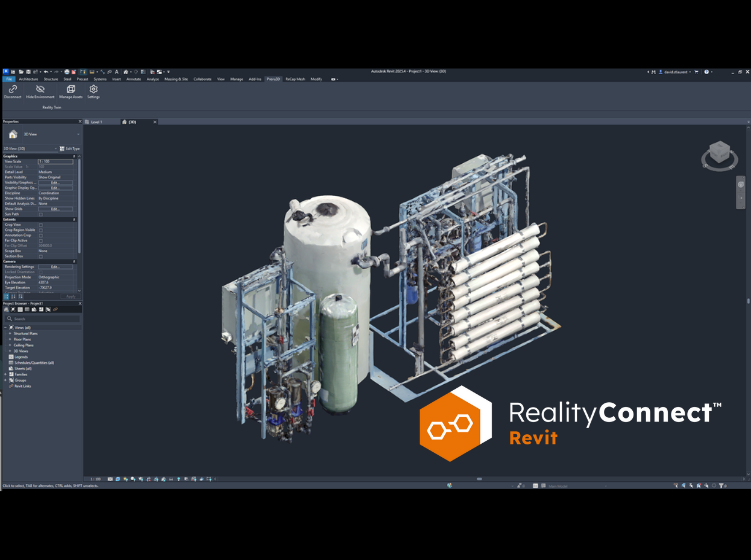
When your facility dates back to the 1950s and there are no drawings anywhere, you need more than a good scanner. You need a different way of working entirely.
Sébastien Cliche, BIM Manager at Tetra Tech, faced exactly that on a water treatment facility retrofit project in Quebec. His team’s answer was a scan-to-Revit workflow built on Prevu3D’s RealityConnect™ for Revit, one that cut what used to take a week and a half of modeling down to a fraction of a single working day.
In our most recent Expert XChange session, Sébastien walked us through exactly how they did it. Here’s what we learned.
Why Traditional Existing-Conditions Workflows Fall Short
Before Prevu3D, Tetra Tech’s existing-conditions workflow looked like most teams’: site walks, photos, tape measures, and educated guesswork back at the office.
“The biggest issue was too much people depending on guesswork — which makes it easy to miss geometry, miss clearances, and make assumptions about how equipment was actually installed. That led to rework, extra site visits, coordination issues, and a lot of wasted time,” Sébastien explained.
The real risk wasn’t just lost hours. It was carrying inaccuracy directly into the engineering model and discovering the problem later, when something physically couldn’t fit, or a pump didn’t align with piping modeled from memory.
“We were building from incomplete information and carrying that risk directly into the model. That was one of the worst problems we had. I needed to fix that.”
— Sébastien Cliche, Tetra Tech, on why his team turned to Prevu3D
The Scan-to-Revit Workflow: From Point Cloud to Revit-Ready Assets
Tetra Tech already had the scanning hardware, a FARO terrestrial scanner, operated by their in-house reality capture team. The missing piece was what happened after the scan. How do you get from a dense point cloud to usable Revit geometry without spending a week on it? That’s where Prevu3D’s RealityConnect™ for Revit comes in.
The Scan-to-Revit Workflow, Step-by-Step
- Capture (1 day on site). The team scans the full facility with a FARO terrestrial scanner. One pass. One day. No return visits needed if the capture is done right.
- Process into Prevu3D (~half day). The point cloud is uploaded to Prevu3D, which automatically generates a high-fidelity 3D mesh. No manual reconstruction. No interpretation.
- Create assets in Prevu3D (~half day, all assets). Using the asset creation tools, including the magic wand tool for individual equipment faces, the team isolates each piece of equipment as an individual asset. Each asset takes 1–2 minutes to create.
- Stream into Revit via RealityConnect™. The point cloud streams directly into Revit, no downloading 400GB to a local machine. Walls, slabs, structure: all modeled using the scan as the canvas.
- Export assets as Revit families. Each asset is exported as a Revit family, placed into the right MEP category, and given connectors. If there are 12 identical pumps, you model one and copy it. The savings compound.
Watch: isolating a pump asset from the facility mesh and importing it directly into Revit as a family.
The Part That Surprised Even His Own Team
One of the more candid moments in the session came when Sébastien described the internal reaction when he first showed the workflow to his colleagues. The response wasn’t immediate enthusiasm; it was healthy skepticism.
“At first there were some skeptics, because it seemed too good to be true. Turning 20 hours of work into 1 or 2 hours. I just had to show a few demos, a few examples of how the workflow goes. After that, they were sold.”
— Sébastien Cliche, BIM Manager at Tetra Tech, on adopting Prevu3D’s scan-to-Revit workflow
The tool looks like magic, so people assume it must be fragile, or that there’s a catch. The catch is mostly upstream, in the quality of the scan data itself. Get that right, and everything downstream gets dramatically simpler.
Leverage Scan-Based Assets to Model Equipment With No CAD Drawings
One of the most compelling aspects of this project was what Tetra Tech was working without: any existing documentation. The water treatment equipment was installed in the 1950s and 60s. No Revit families. No CAD drawings. No vendor files. Just old machinery doing its job in a facility that needed upgrading.
Scan-based asset creation earns its keep here. When Tetra Tech isolated a pump from the facility mesh, they weren’t tracing a drawing. They were working directly from a millimeter-accurate scan of the physical object. The resulting Revit family carried the real geometry of the actual pump, complete with the spatial constraints around it. No assumptions required.
Simplifying Complex Retrofit Projects and Cutting Costs
Clients rarely care about point clouds. What they care about is accuracy, speed, and not being surprised on installation day. On this project, the feedback Tetra Tech received covered all three.
Beyond the delivery speed, the team used Prevu3D’s built-in VR tools to give the client a remote walkthrough of the facility, replacing what would otherwise have been another two-hour drive to the site to check clearances and validate retrofit decisions. In water treatment, where process equipment and MEP systems are densely packed and tolerances are tight, that kind of remote validation isn’t optional. It’s a risk management tool.
“The difference is insane. You cut your modeling time, you eliminate return site visits, and you get the insurance of accuracy in your model. That secures a lot on the engineering side. No more of that little part of doubt that could mean a costly mistake.”
— Sébastien Cliche, BIM Manager at Tetra Tech, on the impact of Prevu3D’s scan-to-Revit workflow
How Scan-to-BIM Changes the Way Engineering Firms Win Retrofit Work
Not every project needs this level of capture. Small retrofit jobs with simple geometry probably don’t. But large industrial facilities (water treatment plants, HVAC-dense mechanical rooms, complex MEP environments) are a different story. The time saved, the site visits eliminated, and the accuracy gained add up to a number that’s not hard to justify in a proposal.
It also shifts what Tetra Tech is actually selling: not just engineering time, but confidence. The assurance that what’s in the model is what’s actually in the building.