

November 19, 2025
Prevu3D Release 25.11
Let’s take a look at what’s new in Prevu3D
Prevu3D Release 25.11: Integrated Drone Processing, Smarter Organization & More Accurate Measurements
Release 25.11 introduces key upgrades across RealityPlatform™, RealityTwin™, and RealityPlan™—including native drone photogrammetry, streamlined data organization, and new precision measurement tools. Together, these improvements make it easier to upload, structure, and validate reality data in a single, unified workflow.
RealityPlatform™ Updates
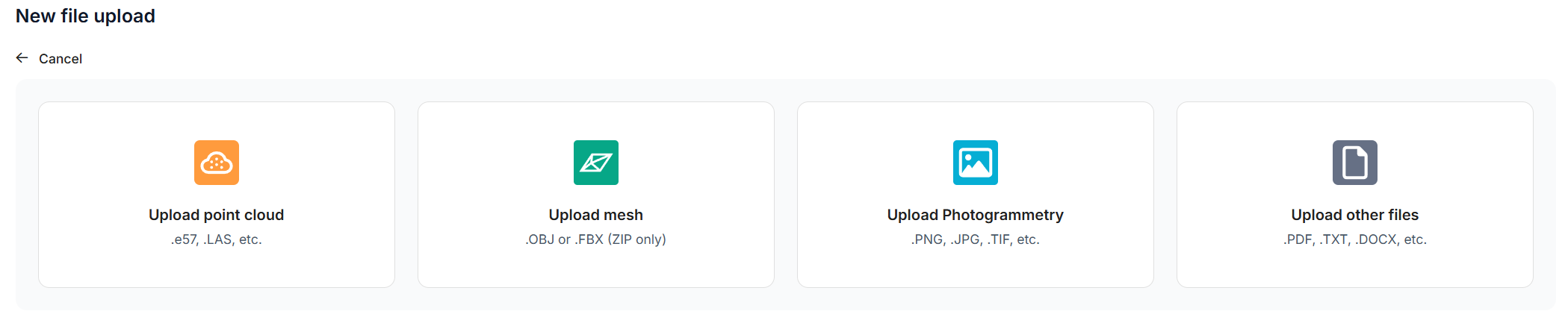
Upload nadir or oblique drone imagery directly into RealityPlatform™ to automatically generate:
- 3D meshes
- Orthophotos
The new Photogrammetry upload option gives clear guidance on supported formats and best-practice capture settings (overlap, angles, coverage).
Aerial data is now fully integrated into the platform, enabling teams to:
- enrich existing RealityTwins™ with broader site context,
- capture hard-to-reach areas,
- support engineering, inspection, or planning workflows.
All ground and aerial datasets can now be processed and viewed in one place.
Data Bundle Architecture + 3D Viewer
Point clouds, meshes, and photospheres are now grouped into a single Data Bundle, enabling consistent visualization and comparison in the new 3D Viewer.
You can switch between—or enable multiple—representations at once, including:
- Point cloud
- Mesh
- Photospheres
- Future supported formats
View changes are instant and preserve your orientation, making geometry checks and contextual review significantly smoother.
Unified Upload Workflow
A single guided wizard now handles point clouds, meshes, and drone imagery, offering clearer processing feedback and a consistent experience across projects.
RealityTwin™ Updates
Zones
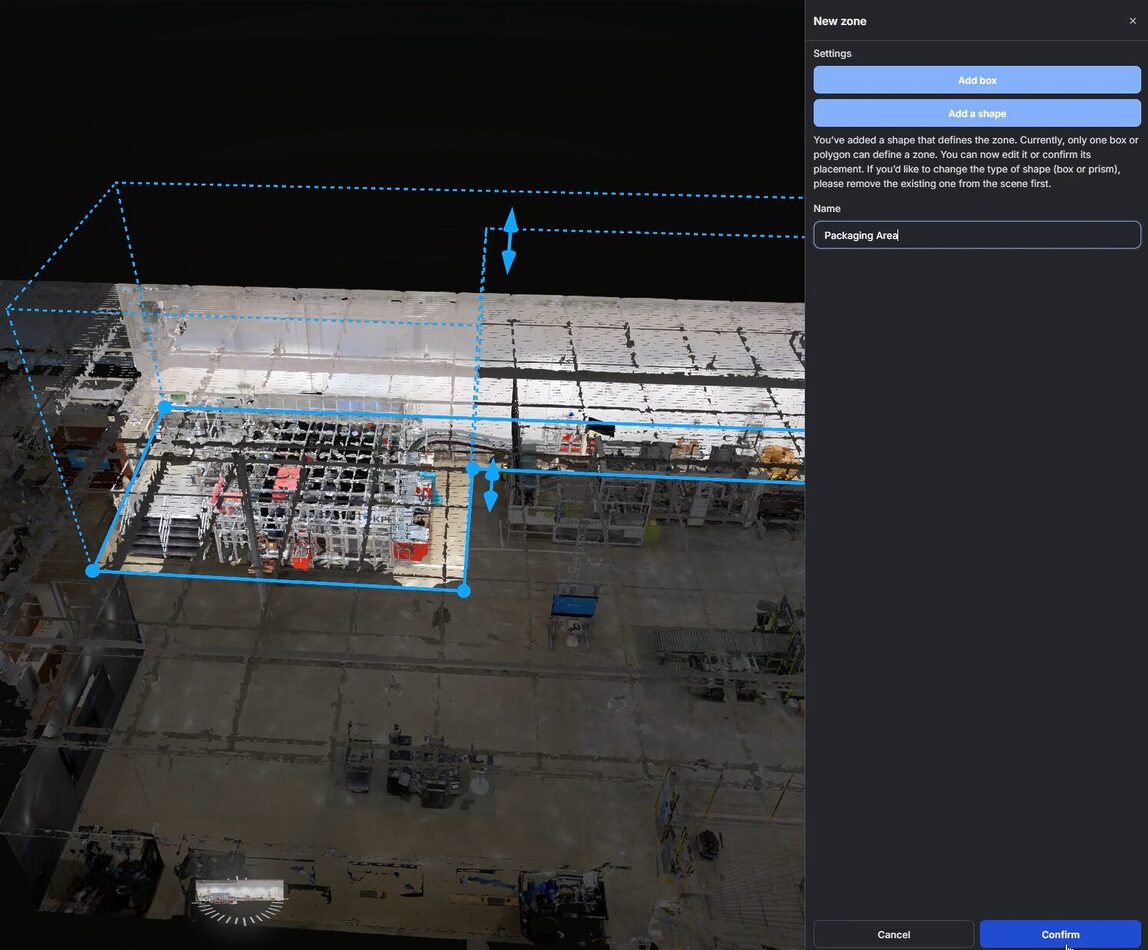
A new structured way to organize and navigate large Twins. Users can:
- create box or polygon zones,
- group assets automatically,
- add metadata,
- manage everything from a dedicated panel.
Zones help segment large plants, buildings, or outdoor environments for easier navigation and clearer communication.
Share Link
Generate a static link to any asset in a Twin. Opening the link takes collaborators directly to:
- the asset’s 3D location
- its metadata panel
Ideal for reviews, comments, and quick follow-ups.
Orthogonal Measurement Tool
Measure perpendicular distances to walls, floors, or reference planes—essential for precise engineering checks, especially in angled or irregular geometry.

Platform-Wide Improvements
Photosphere Navigation
- Ground Circles replace floating bubbles for clearer visualization
- Switchable display modes
- Option to set photosphere navigation as the default scene view
Search
- Improved accuracy, indexing, and UI.
Point Alignment Tool
- Clearer instructions, deletable point pairs, named pair display, and better in-scene visualization.
Entity Panel
- Faster loading for large hierarchies (10,000+ RealityAssets).
RealityPlan™: Enhanced Collision Detection
Collision detection can now run across all scene entities at once, delivering faster, more comprehensive clash analysis for complex facilities.
Use Cases
Drone Teams & Surveyors
- Upload flight imagery directly
- Automatically generate meshes and orthophotos
- Combine drone and terrestrial scans in one project
Ideal for mapping, inspection, infrastructure capture, and environmental surveys.
Data Reviewers & QA Engineers
- Validate multi-modal data in a single viewer
- Use Zones to focus reviews on specific areas
- Run orthogonal measurements for precise checks
- Share assets instantly with link-based navigation
Perfect for QA cycles, vendor validation, as-built reviews, and dataset comparisons.
Why Release 25.11 Matters
Drone processing, data organization, and QA tools now work together in a single ecosystem. Teams can capture, process, and validate diverse datasets inside RealityPlatform™—creating richer, more actionable Twins and smoother project delivery.
Try the new drone processing functionality with your own datasets.
Want a closer look?