
AutoCAD Plant 3D Plugin
Design Smarter with CAD Model to real-world context
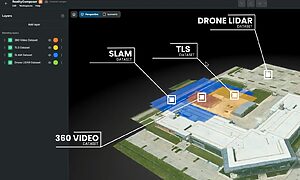
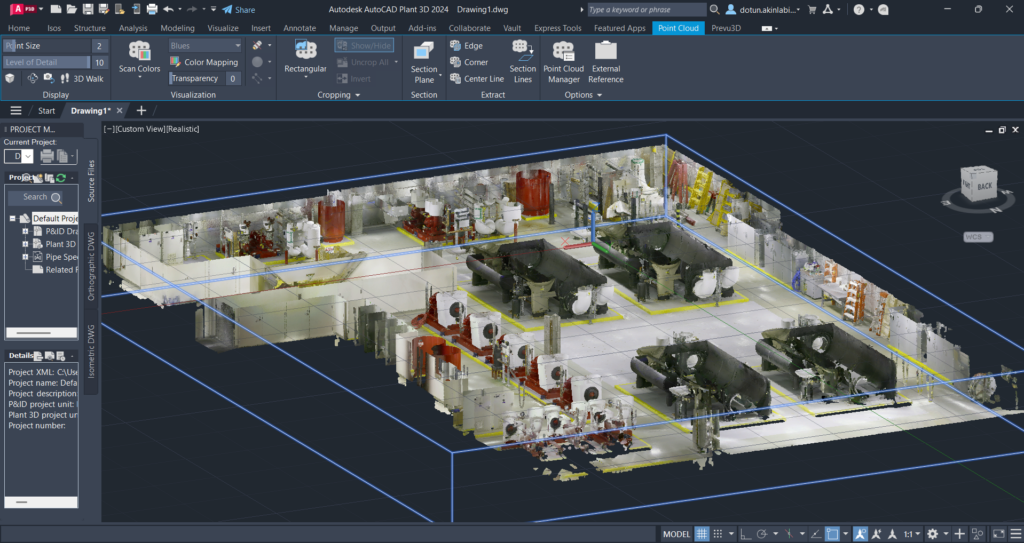
RealityConnect™ for AutoCAD Plant 3D closes that gap. It streams point cloud and mesh data directly from Prevu3D’s 3D digital twin software into your active Plant 3D session, giving your engineering team precise, up-to-date visual context for every design decision.
No file exports. No manual imports. No round-trips to a separate viewer. Just reality capture data, live inside your AutoCAD Plant 3D environment.
Bring Point Clouds & As-Built Data Into Every Piping Design
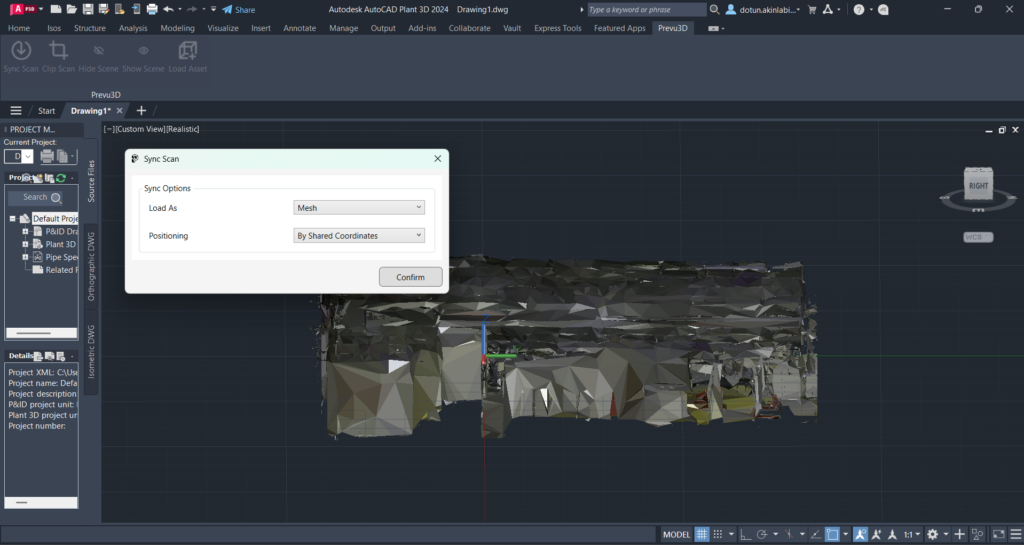
Load Point Cloud or Mesh Data Directly Into Plant 3D
Stop manually importing scan files or switching between viewers. RealityConnect™ brings your reality capture data into AutoCAD Plant 3D in a single click, with the precision your piping design workflow demands.
What you can do:
- Sync laser scans and photogrammetry data directly from your Prevu3D project into AutoCAD Plant 3D
- Convert point cloud to 3D mesh automatically — no separate processing software required
- Use clipping tools to load only the spatial zone relevant to your design scope
- Choose between full point cloud (maximum precision) or lightweight mesh (faster CAD performance)
- Import as-built data using shared coordinates for accurate, site-matched positioning
Place Equipment and Validate Layouts Against the Real Plant
Designing against guesswork or outdated drawings leads to fabrication errors and costly on-site rework. With scan data loaded, every equipment placement and piping route is checked against actual site conditions in real time.
What you can do:
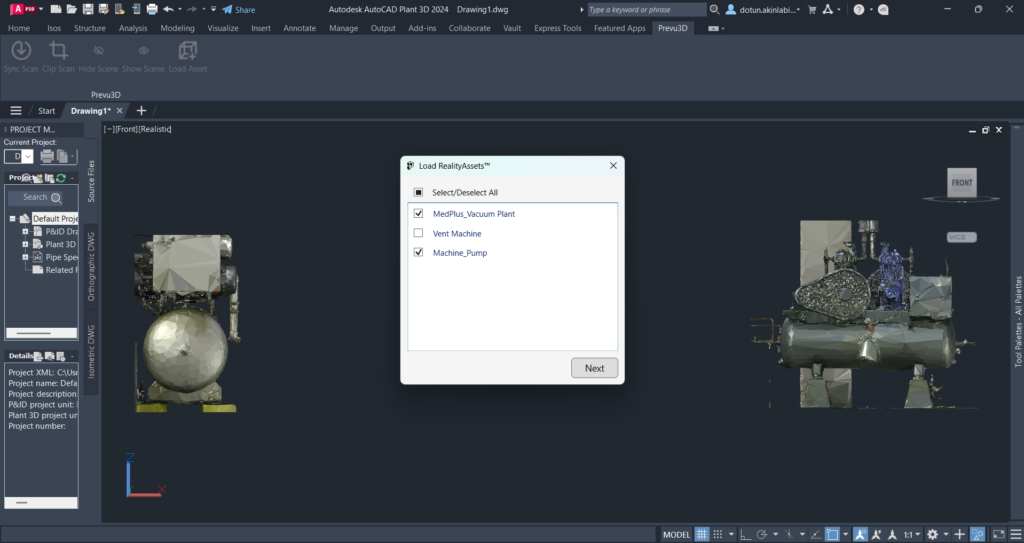
- Visualize existing piping, structures, and equipment in 3D as you design
- Load RealityAssets from your Prevu3D library directly into the Plant 3D environment
- Select the level of detail (LOD) that matches your current design phase — concept through final coordination
- Validate equipment clearances, access routes, and spatial fit before procurement or fabrication
- Iterate on plant layout design faster with real-world context always visible
Eliminate Clashes and Build a Living 3D Digital Twin
Clash detection after construction is expensive. Change orders during installation are worse. RealityConnect™ surfaces conflicts at the design stage — and every session you run feeds a 3D digital twin your operations and maintenance teams can use long after the project closes.
What you can do:
- Detect piping conflicts and routing obstructions against actual as-built plant conditions
- Optimize pipe routing paths with full 3D visibility of the existing facility
- Reduce change orders, rework, and on-site delays by resolving clashes before installation
- Support brownfield retrofits, plant expansions, and turnaround planning in oil & gas, manufacturing, and industrial facilities
- Streamline CAD data for digital twin integration — every design session automatically updates your facility’s living digital twin
- Enable downstream digital twin facility management, inspection planning, and operations workflows from the same validated dataset
How to do it:
With equipment placed and piping routed → use Plant 3D’s native clash detection against the loaded scan environment → resolve conflicts in context → sync the validated model back to Prevu3D to update the 3D digital twin — keeping engineering, operations, and maintenance aligned on one source of truth.

Built for your cad workflow
Built for Plant Design Teams in Complex Industrial Environments
RealityConnect™ for AutoCAD Plant 3D is purpose-built for industries where precision, safety, and schedule pressure leave no room for inaccurate as-built data.
Food & Beverage
Manufacturing
Engineering
Oil & Gas
AutoCAD Plant 3D Plugin FAQ
What does the AutoCAD Plant 3D plug-in do?
RealityConnect™ for AutoCAD Plant 3D is a native plugin that loads reality capture data — point clouds and 3D meshes — directly into your Plant 3D environment. It enables as-built data integration, equipment placement validation, and clash detection without requiring file exports or third-party viewers.
How does the plugin handle point cloud to mesh conversion?
Prevu3D processes and converts point cloud data to lightweight 3D mesh on the platform before it reaches your Plant 3D session. This means you get accurate spatial context without taxing your CAD workstation with massive raw scan files.
Can this plugin support digital twin workflows for oil and gas facilities?
es. RealityConnect™ is used by oil & gas engineering teams for brownfield design, piping retrofits, and facility expansion projects where as-built accuracy is critical. The plugin connects AutoCAD Plant 3D directly to Prevu3D’s 3D digital twin software platform.
What's the difference between loading a point cloud vs. a mesh in Plant 3D?
A point cloud provides raw scan density and is best for precision measurement work. A mesh is a lighter, surface-based representation that’s easier to navigate and better suited to layout and clash validation. RealityConnect™ lets you choose based on your design phase.
Does Prevu3D integrate with other CAD and BIM tools besides Plant 3D?
Yes — Prevu3D offers native plugins for Autodesk Revit, Autodesk Inventor, Bentley MicroStation, NVIDIA Omniverse, PlantStream 3D, Siemens Process Simulate, and Siemens DesignCenter NX.
How does this help with digital twin facility management?
By keeping your Plant 3D model connected to current scan data, RealityConnect™ ensures the 3D digital twin of your facility reflects actual conditions — supporting maintenance planning, inspection workflows, and operational decision-making beyond the design phase.